

6 Best Platforms for Learning Coding in 2026: 6 Top Picks Ranked and Reviewed
Discover the best platforms for learning coding in 2026. We ranked 6 top options by features, pricing, AI tools, and who each platform is best suited for.
Last updated: June 2026
The global developer shortage is projected to hit 85 million unfilled tech jobs by 2030, yet the best platforms for learning coding in 2026 have never been more accessible, more AI-powered, or more beginner-friendly. If you're trying to identify the best platforms for learning coding in 2026, the short answer is: Codecademy, freeCodeCamp, Coursera, Scrimba, Zero To Mastery, and The Odin Project lead the field, each ranked here by feature depth, AI integration, pricing value, and real job-readiness outcomes.
The cruel irony is that having hundreds of options, from free YouTube playlists to AI coding assistants to structured bootcamps, has made starting harder, not easier. If you want to know how to start learning coding in 2026, the most effective approach is simple: pick one platform from this list, commit to Python or JavaScript first, and ship a small project within your first week.
Free platforms absolutely work, but paid platforms reduce dropout rates significantly by replacing passive video-watching with structured, project-based accountability, which is why this guide evaluates both tiers honestly. Every platform below was assessed on the same criteria so you can match the right fit to your goals, budget, and schedule.
TL;DR: The best platforms for learning coding in 2026 span every learner type, from absolute beginners to aspiring backend engineers. Codecademy leads for AI-powered interactive learning, while freeCodeCamp stands out as the top completely free option with 3,000+ hours of structured curriculum and real certifications. For learners who need employer-recognized credentials, Coursera offers university-backed courses, and Boot.dev is the top pick for backend engineering and CS fundamentals with gamification. Whether you choose a free or paid path, the right platform depends on your goals, learning style, and how much structure you need to avoid tutorial hell.
Key Takeaways
- Beginners who want zero setup should start with Codecademy, which uses an AI assistant to explain errors in real time and structures learning through career paths starting from HTML basics.
- freeCodeCamp offers 3,000+ hours of completely free curriculum, but its certifications require building real projects, not just completing lessons, making it one of the most rigorous free options available.
- Learners switching careers who need employer-recognized credentials should prioritize Coursera, which offers university-backed certificates from institutions like Stanford, MIT, and Google in fields including data science, cloud computing, and cybersecurity.
- Boot.dev is the strongest choice for backend engineering, covering Python, Go, JavaScript, algorithms, and system design through a gamified XP system designed to sustain daily practice habits.
- Udemy's catalog of 210,000+ courses is best used when you already know the specific language, framework, or tool you want to learn, especially since frequent sales make individual courses available at low one-time prices.
- Using AI coding tools carelessly while learning can undermine skill development. platforms like The Odin Project use a project-first, active struggle approach specifically to build the problem-solving ability that AI shortcuts tend to bypass.
How We Evaluated These Coding Platforms
Picking the wrong learning platform is the most common reason beginners fall into tutorial hell, cycling through introductory content without ever building anything deployable. To prevent that, every platform in this list was assessed against five concrete criteria:
Watch: The Only AI Coding Tools Worth Learning in 2026
https://www.youtube.com/watch?v=-VTiqivKOB8
- Curriculum structure: Does the platform enforce a guided sequence, or does it dump 10,000 courses on you with no roadmap?
- AI integration: Adaptive feedback and AI-generated exercises, not just a chatbot widget bolted on.
- Pricing transparency: Exact free tier limits and paid tier costs. According to Stack Overflow's 2024 Developer Survey, 52% of learners cite cost as the primary barrier to online coding education.
- Job-readiness outcomes: Verifiable certifications, portfolio projects, and career services.
- Community and support: Forums, peer review, and mentor access matter when you're stuck at 11pm.
All six platforms were evaluated for both JavaScript and Python learners, since those remain the two dominant beginner languages in 2026. For structured Python learning paths specifically, depth of backend coverage factored heavily into scoring.
Note: "Best" is context-dependent. Getting hired fast, learning deeply, and learning free each point to different winners.
Quick Comparison: Best Coding Platforms at a Glance
The six platforms below cover every major learner type, from complete beginners to developers targeting backend engineering roles. Here's how they stack up across the metrics that matter most when deciding where to invest your time and money.
| Platform | Best For | Free Tier | Paid Price (Monthly) | AI Features | Languages Covered | Certificate |
|---|---|---|---|---|---|---|
| Codecademy | Beginners, interactive learning | Yes, limited content | ~$17, $34/mo | Yes, AI code review + hints | Python, JS, SQL, HTML/CSS, and 14+ more | Yes |
| freeCodeCamp | Free structured curriculum | Yes, fully free | Free | No native AI tools | JS, Python, SQL, C++ | Yes (free) |
| Coursera | University credentials, career switchers | Yes, audit only | ~$49/mo or per course | Yes, AI tutoring on select courses | Broad (Python, R, Java, Scala) | Yes (paid) |
| Boot.dev | Backend/CS fundamentals | Yes, limited lessons | ~$29/mo | Yes, AI mentor chatbot | Python, Go, JavaScript | Yes |
| Udemy | Topic-specific courses, any stack | No (free previews) | ~$10, $30/course | Limited (instructor-dependent) | 50+ languages and frameworks | Yes (completion) |
| The Odin Project | Free full-stack curriculum | Yes, fully free | Free | No | Ruby, JavaScript, HTML/CSS | No |
Note: Prices reflect mid-2026 estimates. Verify current pricing directly on each platform before purchasing, as promotional discounts are frequent.
For learners weighing AI-assisted tools specifically, the best AI agents for coding go well beyond what any single learning platform bundles natively.
1. Codecademy. Best AI-Powered Interactive Learning for Beginners
Codecademy is the best platform for beginners who want AI-guided, browser-based coding practice without installing anything. Its AI learning assistant explains errors in real time, its career paths structure learning from HTML/CSS through JavaScript and Python, and its Pro tier includes certifications recognized by employers. According to Codecademy's own reporting, the platform has taught over 100 million learners across 190+ countries, making it one of the largest interactive coding communities online.
The core experience is a split-screen browser IDE: instructions on the left, live code editor on the right. No environment setup, no terminal configuration, no version conflicts. For absolute beginners, that frictionless entry point is genuinely significant.
Key features:
- AI Learning Assistant explains why your code broke rather than rewriting it for you, a critical distinction. It prompts you toward the solution rather than handing it over, preserving the struggle that builds real comprehension
- Career Paths bundle sequenced courses into role-specific tracks, including Full-Stack Engineer, Data Scientist, Python Developer, and Front-End Engineer, each running 150-250+ hours of structured content
- Skill assessments at path entry points gauge existing knowledge and skip redundant modules, so intermediate learners are not forced through content they already know
- Portfolio projects embedded inside Career Paths produce shareable work that can go directly onto a GitHub profile
- Free tier covers introductory lessons in Python, HTML/CSS, and JavaScript, but the majority of career path content, certificates, quizzes, and projects sits behind the Pro paywall
Pricing (as of June 2026): Codecademy Pro is available monthly and at a discounted annual rate. A student discount plan is also available for eligible learners.
Important: The free tier is meaningfully restricted. Learners who hit the paywall quickly may find freeCodeCamp a better fit if budget is the primary constraint.
Pros: - Zero-setup browser IDE removes the #1 beginner blocker - Structured Career Paths eliminate "what do I learn next" paralysis - AI assistant builds problem-solving habits rather than dependency
Cons: - Free tier locks most valuable content behind Pro - Coverage of backend infrastructure, DevOps, and systems programming is thin compared to Boot.dev - Some courses feel shallow once you advance past fundamentals
Best for: Career changers, absolute beginners, and anyone who learns best through small, interactive exercises with immediate feedback rather than long-form video lectures.
2. freeCodeCamp. Best Free Structured Curriculum With Real Certifications
freeCodeCamp is the best completely free coding platform in 2026, offering 3,000+ hours of structured curriculum across web development, Python, and full-stack engineering. Its certifications are project-based, you must build and submit real applications, not just pass multiple-choice quizzes, making them meaningfully more credible than the badge-only alternatives. No paywall, no upsell, no premium tier.
According to freeCodeCamp's own transparency reports, the platform serves over 800,000 learners daily, a figure that reflects both its reach and the trust developers place in a fully free model.
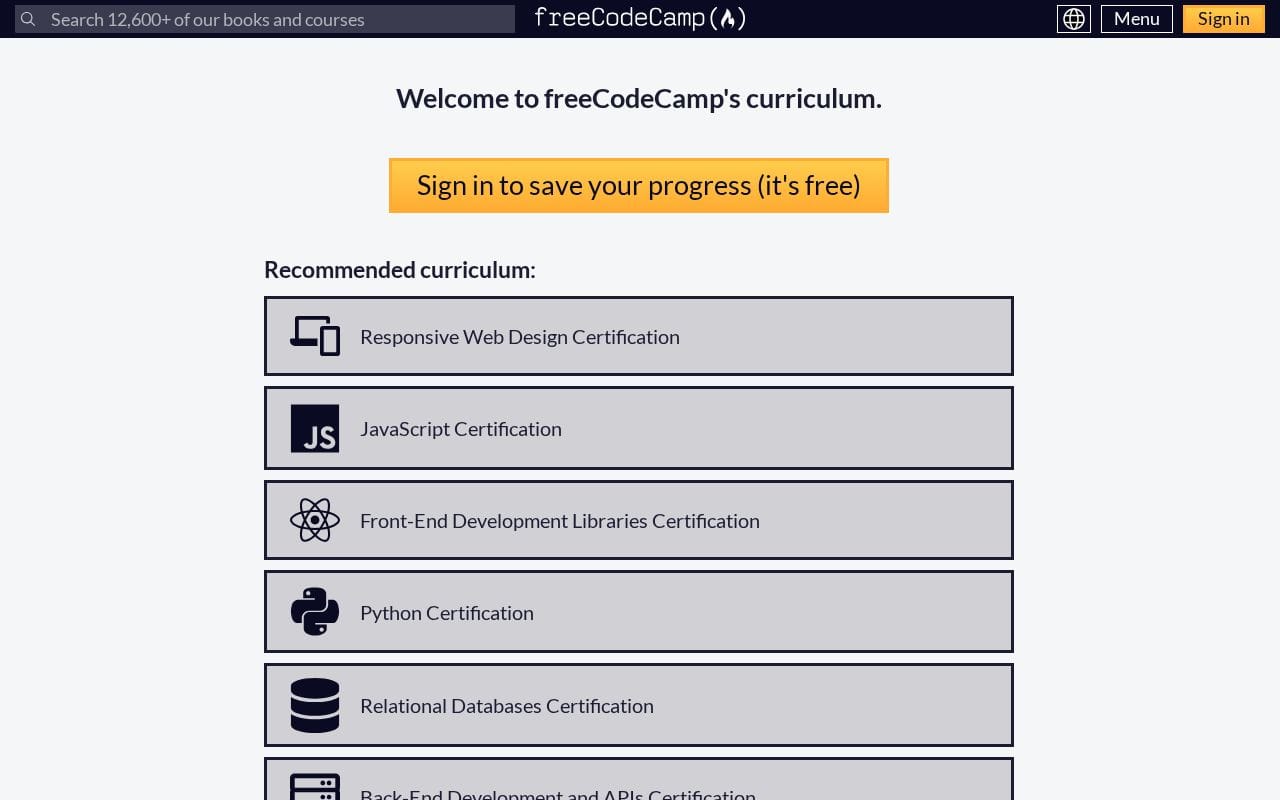
Current certification tracks (as of June 2026):
- Responsive Web Design
- JavaScript Certification
- Front-End Development Libraries
- Python Certification
- Relational Databases (uses PostgreSQL and bash in a VS Code-based environment)
- Back-End Development and APIs
- Certified Full-Stack Developer (the flagship track combining the above)
- Foundational C# with Microsoft (a professional certification co-issued by Microsoft)
- Coding Interview Prep
Each certification requires completing five portfolio projects submitted to freeCodeCamp's servers. There are no proctored exams. The work is the proof. This structure suits anyone building a portfolio for a web development career path.
One real limitation: freeCodeCamp has no AI tutor, no in-browser hint system, and no personalized feedback loop. When I tested the JavaScript track, stuck learners are directed to the community forum or Discord, both active, but neither instantaneous. For self-directed learners this is fine. For beginners who need real-time hand-holding, the absence of AI feedback (which Codecademy now bundles) creates friction that causes real dropout.
Pro Tip: Pair freeCodeCamp's curriculum with its YouTube channel, which has 10+ million subscribers and free full courses on topics the core curriculum doesn't cover deeply, such as TypeScript, Next.js, and AWS.
Pros: - Completely free, no feature restrictions or hidden tiers - Certifications require submitting functional projects, boosting portfolio credibility - Microsoft co-issues the C# certification, adding employer-facing legitimacy - Active forum and Discord community for peer support
Cons: - No AI-powered feedback or adaptive hints - Self-directed pacing leads to stalling for less disciplined learners - No career services, resume review, or job placement support - UI is functional but sparse compared to polished paid alternatives
Best for: Self-motivated learners, students, and anyone who wants recognized, project-backed coding certifications without spending a dollar. freeCodeCamp is the definitive answer to "learn coding free" in 2026.
3. Coursera. Best for University-Backed Credentials and Career Switchers
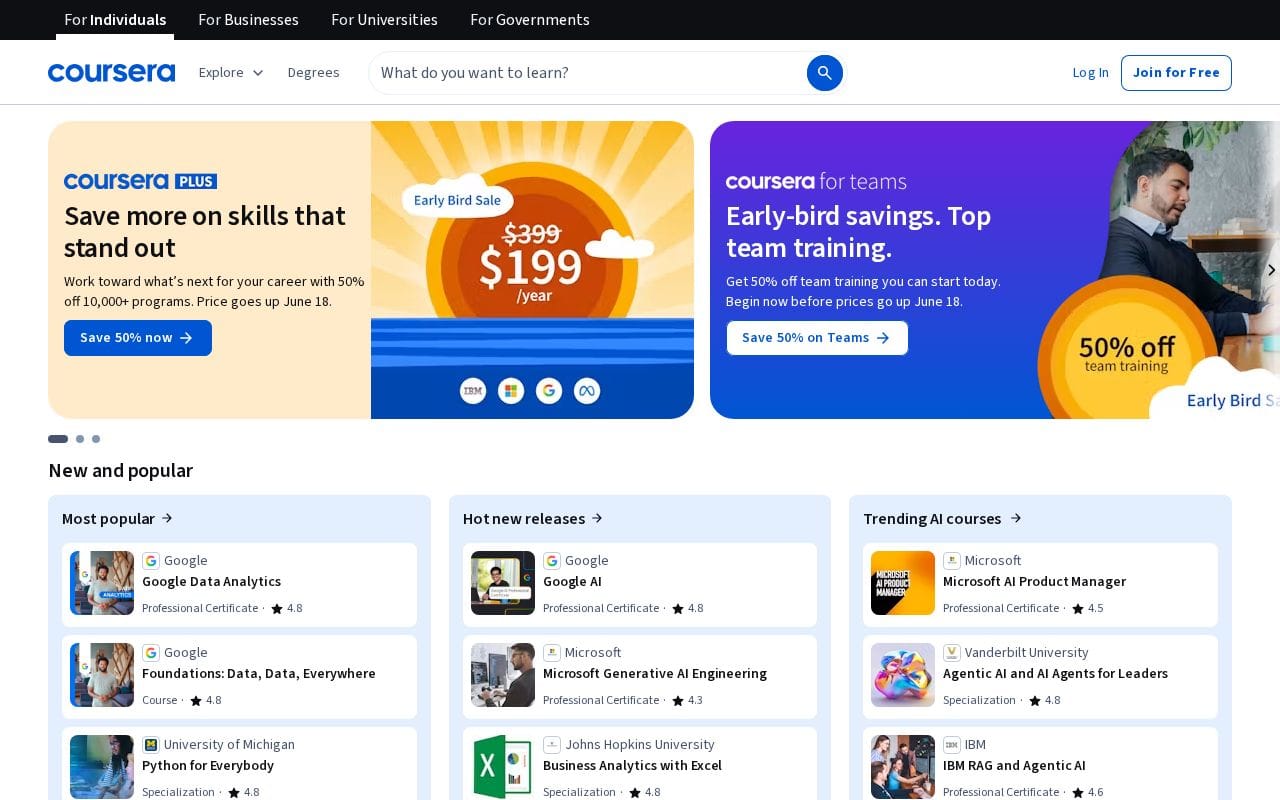
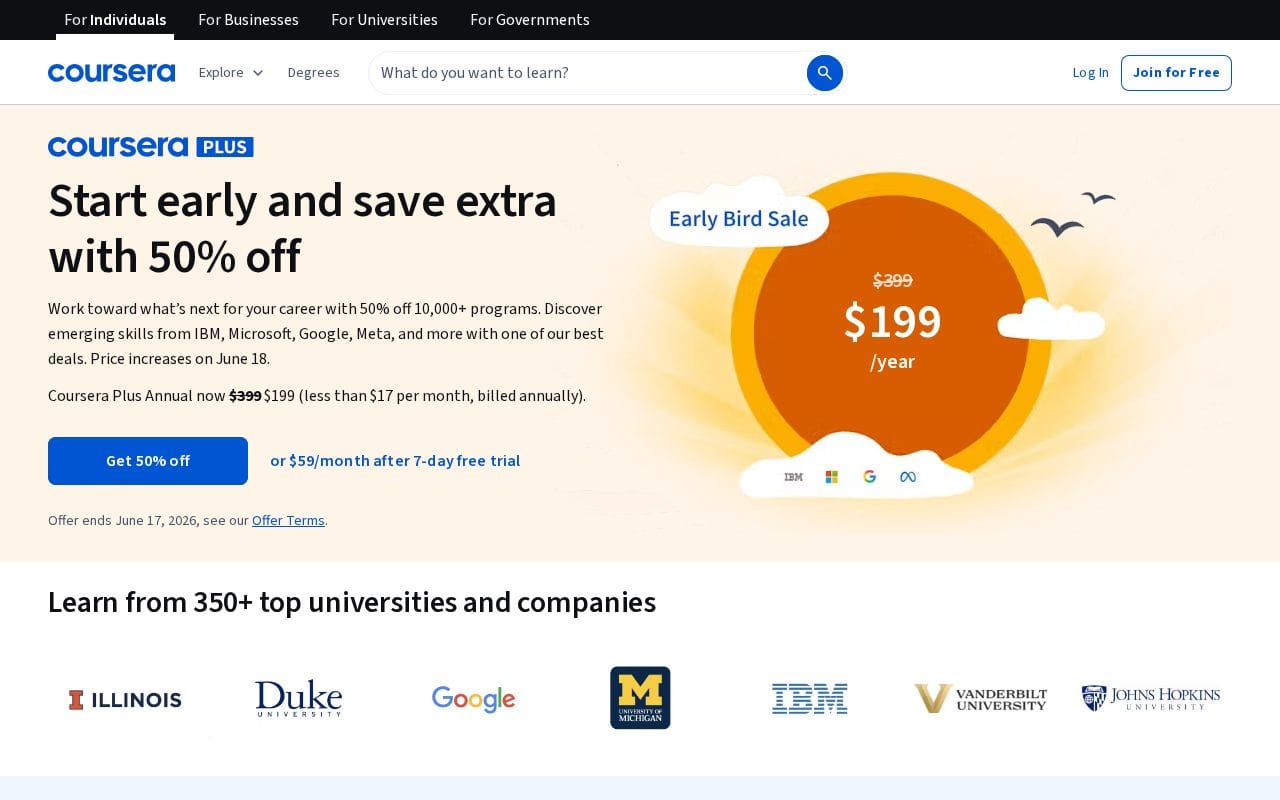
Coursera is the strongest platform for learners who need employer-recognized credentials from universities like Stanford, MIT, and Google. Its Professional Certificates in Python, data science, cloud computing, and cybersecurity are built around specific job-role requirements, and its Coursera Plus subscription ($59/month or $399/year as of June 2026) unlocks 10,000+ courses and certificates in a single plan.
Key features:
- Google Career Certificates cover six tracks as of 2026: IT Support, Data Analytics, UX Design, Project Management, Cybersecurity, and Advanced Data Analytics/Python. Each is designed to be completable in 3-6 months at roughly 10 hours per week, with no prior experience required
- Three credential tiers give learners flexibility: individual courses (free to audit), Professional Certificates (stackable, job-focused), and accredited university degrees (bachelor's and master's programs from institutions like University of London and Arizona State University), a distinction that matters enormously for résumé strategy
- Financial aid is available for Professional Certificates and Specializations. Applicants submit a short form explaining financial need; approval typically takes 15 days and covers 100% of certificate costs
- AI-personalized learning paths were integrated into the platform, with Coursera's Coach feature offering on-demand explanations and quiz feedback without leaving the lesson interface
According to Coursera's 2024 Global Skills Report, 67% of employers surveyed say that professional certificates influence their hiring decisions for entry-level tech roles.
Pro Tip: If you're targeting a data science or cloud role, stack a Google Data Analytics Certificate with a DeepLearning.AI Specialization under Coursera Plus. Both count toward a single annual subscription, making the cost-per-credential dramatically lower than purchasing individually.
For learners also exploring cybersecurity alongside coding, the best online CrowdStrike courses complement Coursera's security tracks well.
Pros:
- Most credentialed platform with verified university and Google backing
- Structured deadlines create real accountability
- Financial aid removes cost barriers for qualifying learners
- Deepest catalog for data science, ML, and cloud computing
Cons:
- Monthly plan ($59/mo) is expensive without the annual commitment
- Video-heavy format means less active coding practice compared to Codecademy
- Peer-graded assignments can sit unreviewed for days, stalling progress
Best for: Career switchers targeting data science, ML, or cloud roles; anyone who needs a résumé-worthy credential fast; learners qualifying for financial aid. Coursera's structured, credentialed approach makes it a top match when searching for the best platforms for learning coding in 2026 for students who need proof of skills, not just knowledge.
4. Boot.dev. Best for Backend Engineering and CS Fundamentals With Gamification
Boot.dev is the best platform for learners who want backend engineering skills. Python, Go, JavaScript, algorithms, and system design, taught through a gamified XP system that makes daily practice feel like a game. At $29/month (or roughly $14/month billed annually, as of June 2026), it is purpose-built to replace a CS degree for self-taught backend developers, covering territory that front-end-focused platforms like Codecademy rarely touch.
Where most coding platforms dump you into a course catalog and wish you luck, Boot.dev runs you through a single, opinionated learning path: Python basics, then object-oriented programming, then algorithms, data structures, SQL, REST APIs, and system design. There is no menu paralysis. The sequence is deliberate, and each course reinforces the previous one. According to Boot.dev's curriculum documentation, the back-end path spans 30+ structured courses designed to take a complete beginner to job-ready in roughly 12 to 18 months of consistent effort.
The gamification layer is not cosmetic. XP points, level progression, streak tracking, and achievement badges are baked into every lesson. Whether this improves long-term retention over a purely utilitarian platform is debated, but the behavioral effect is real: learners return daily because the system rewards showing up. Boot.dev's Discord community, which numbers in the tens of thousands of members, adds a social accountability layer that asynchronous video platforms cannot replicate.
As of 2026, Boot.dev includes an AI-powered hints system that nudges learners toward solutions without handing them the answer, preserving the productive struggle that builds genuine understanding.
Pro Tip: Boot.dev is consistently cited in "best platforms for learning coding in 2026 Reddit" threads as the top pick for self-taught developers targeting backend roles specifically, a reputation built on curriculum depth, not marketing spend.
Pros:
- One of few platforms built specifically for backend engineering and CS fundamentals
- Opinionated learning path eliminates decision fatigue
- Gamification builds daily coding habits
- Portfolio projects included throughout the path
- Active Discord community with responsive mentors
Cons:
- Not suitable for front-end or design-focused learners
- Smaller course library than Udemy or Coursera
- Less name recognition on résumés versus university credentials
Best for: Self-taught developers targeting backend roles, front-end developers who want to go deeper into CS fundamentals, and Reddit-savvy learners who value community-validated curriculum depth over brand prestige.
5. Udemy. Best for Affordable, Topic-Specific Courses on Any Stack
Udemy is the best platform when you know exactly what you want to learn, a specific framework, language, or tool, and want to pay once and own the course forever. With 210,000+ courses and frequent sales dropping prices to $10-$15 per course, it is the most cost-effective option for filling targeted skill gaps. No subscription required, no curriculum to follow, just buy the course, keep it indefinitely, and learn at your pace.
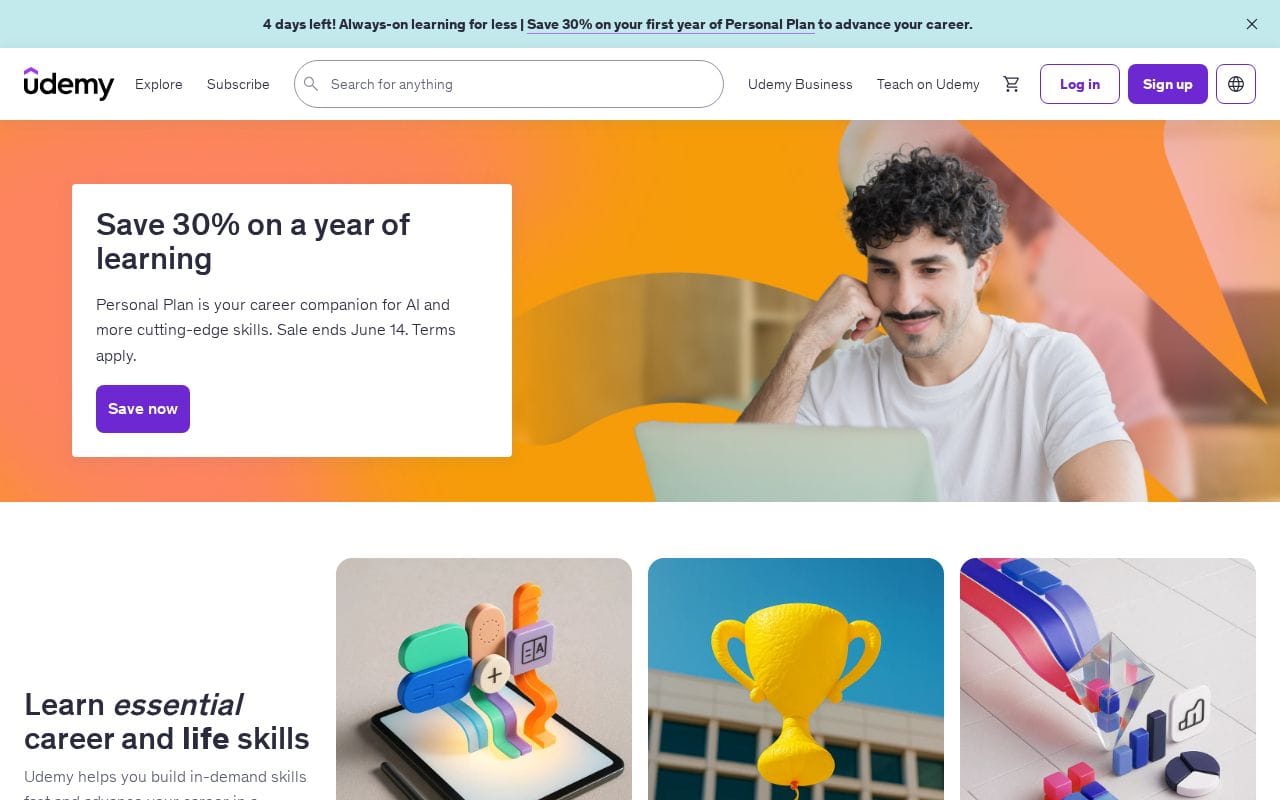
According to Udemy's official platform data, Udemy hosts over 73 million learners worldwide (as of June 2026), making it the largest individual course marketplace in the world.
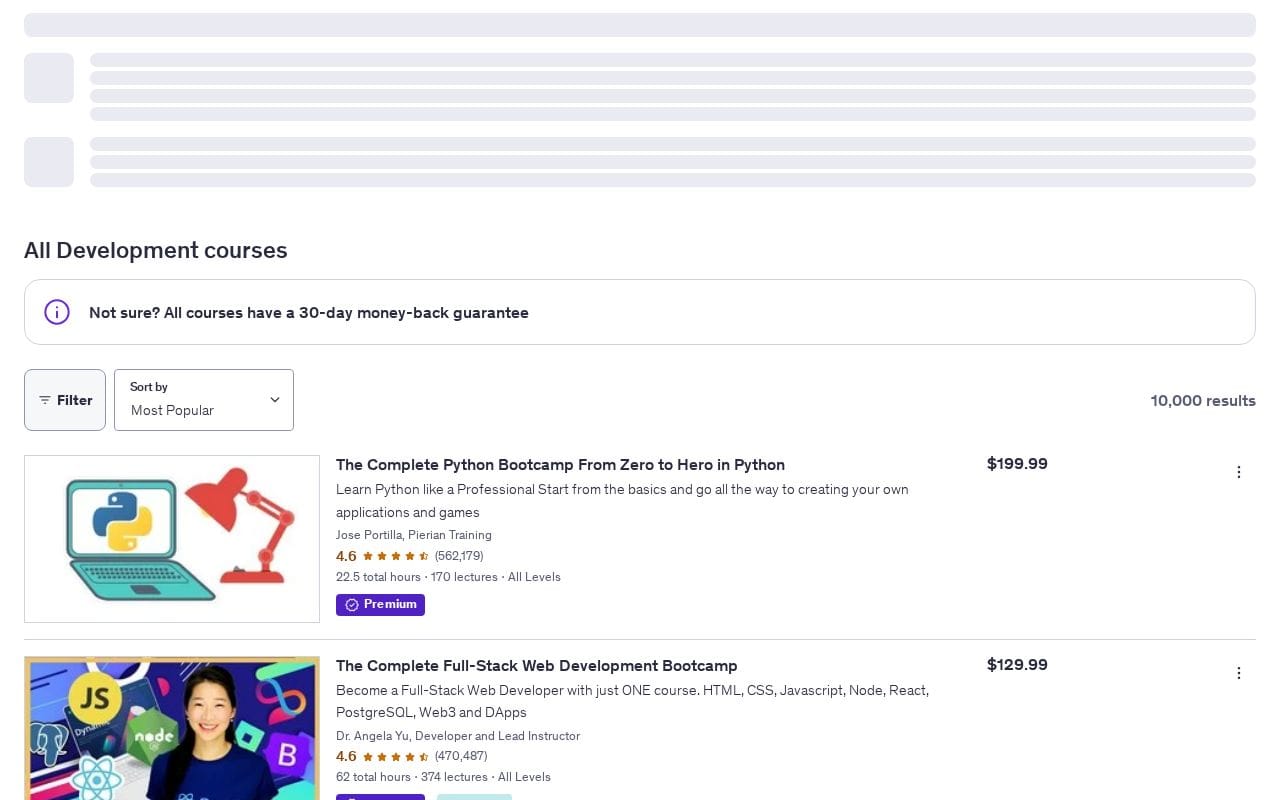
Top-rated coding courses on Udemy in 2026:
- "100 Days of Code: The Complete Python Pro Bootcamp" by Dr. Angela Yu, 425,000+ ratings, 4.7 stars, 57 hours of content
- "The Complete Full-Stack Web Development Bootcamp" by Dr. Angela Yu, 470,000+ ratings, 4.6 stars
- "The Complete JavaScript Course" by Jonas Schmedtmann, consistently among the highest-rated JavaScript courses on the platform
- "AI Engineer Agentic Track" by Ed Donner, 41,000+ ratings, reflects Udemy's fast pivot toward AI/ML content in 2026
For developers exploring specific frameworks, Udemy's depth is unmatched. The best online Angular courses comparison shows Udemy ranking prominently for framework-specific content.
Important: Udemy certificates are course-completion records only. They confirm you finished the material, not that you were assessed against any standard. Employers weigh them far below Google Career Certificates or Coursera university credentials.
Pros:
- Own every course forever with a single payment
- Sales run almost constantly, bringing most courses to $10-$15
- Expert instructors with real-world, practitioner-level knowledge
- Massive library covering every stack, from legacy to bleeding-edge AI engineering
- Best marketplace for learning a specific framework fast
Cons:
- Zero structured learning path, easy to hop between unrelated courses without building depth
- Quality varies significantly; a 4.5-star course from one instructor may far outpace another's
- No community, mentorship, or accountability features beyond Q&A threads
Best for: Developers who already know the fundamentals and need to add a specific tool or stack to their toolkit. Udemy also suits freelancers supplementing a structured curriculum from freeCodeCamp or Coursera with targeted, practical courses.
Pro Tip: If you see a course priced above $50, wait 48-72 hours. Udemy's promotional sales are frequent enough that full list price is rarely what you actually pay.
Udemy's permanent-ownership model makes it the smartest choice for affordable, topic-specific Udemy coding courses in 2026, provided you already have the discipline to self-direct your learning path.
6. The Odin Project. Best Free Full-Stack Curriculum Built Around Real Projects
The Odin Project is the best free, project-first alternative to a coding bootcamp. Its open-source curriculum covers the full web development stack, including HTML, CSS, JavaScript, Node.js, and Ruby on Rails, requiring learners to build real projects from day one rather than watch videos or complete fill-in-the-blank exercises. Every project gets pushed to GitHub, so your portfolio assembles itself as you learn.
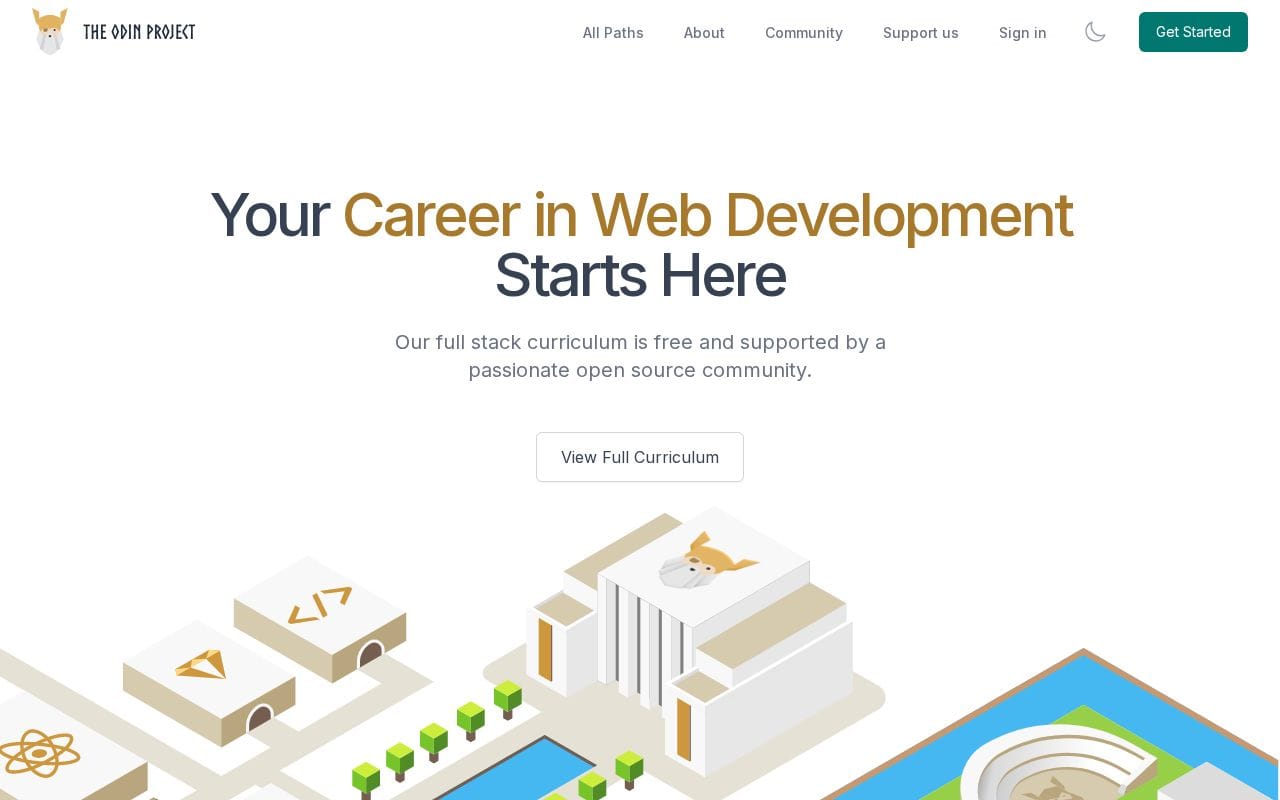
Price: 100% free. No premium tier, no certificate upsell.
Two learning paths:
- Foundations + Full Stack JavaScript: Covers the DOM, React, Node.js, and Express. This path is the stronger pick for job seekers in 2026, given JavaScript's continued dominance across front-end and back-end roles.
- Full Stack Ruby on Rails: A more opinionated path for learners drawn to Rails-convention-over-configuration philosophy. Fewer open roles than JS, but deeper backend exposure.
How projects work: The Odin Project does not auto-grade submissions. Learners build projects independently, push code to GitHub, and then compare their implementation against community solutions in the open-source repository. This self-directed, peer-referenced model mirrors actual development workflows more closely than any fill-in-the-blank editor. According to The Odin Project's own documentation, the curriculum has helped tens of thousands of learners land developer jobs with zero tuition.
Community: A Discord server with hundreds of thousands of members provides real-time help. Response times are typically fast during peak hours, and the culture strongly discourages giving direct answers in favor of guiding learners to solve problems themselves, a habit that pays dividends in technical interviews.
Important: The Odin Project uses no video lectures and no built-in AI assistant. It curates external text resources (MDN, official docs, quality blog posts). Learners who need hand-holding or instant feedback will find the early weeks genuinely difficult.
For developers who eventually want to extend their JavaScript skills into frameworks, online Angular development courses pair naturally with the foundation TOP builds.
Pros: - Completely free with no credential paywall - GitHub-native workflow builds a real portfolio by design - Closest to bootcamp rigor without the cost - Strong, active Discord community - Teaches self-sufficiency over guided repetition
Cons: - No certificate or employer-recognized credential - No AI feedback or auto-grading - Early learning curve is steep; slow pacing frustrates learners who want quick wins
Best for: Motivated beginners with 10+ hours per week to invest, people who want free full-stack web development training with genuine depth, and anyone building a GitHub portfolio as the centerpiece of their job search strategy.
Does Using AI While Learning to Code Actually Make You a Worse Developer?
Building your GitHub portfolio through The Odin Project's project-first method is exactly the kind of active struggle that AI tools threaten to short-circuit if used carelessly.
Every major platform in this list now bundles some form of AI assistance. Codecademy has its AI assistant, Boot.dev encourages thoughtful tool use, and most learners arrive with ChatGPT open in a second tab. The risk is real: using AI for learning to code can recreate tutorial hell at twice the speed, where you produce working code without ever understanding it.
The GPS analogy captures this precisely. Constant GPS use erodes your internal map; constant AI-generated fixes erode your debugging instincts. Andrej Karpathy's framing of agentic engineering makes this even sharper: supervising AI agents requires stronger fundamentals, not weaker ones. You must catch the agent's mistakes, which means understanding what correct code looks like.
Pro Tip: Ask ChatGPT or Claude "why does this error occur?" never "fix this code." The former builds the mental model; the latter just produces output. If you can't explain every line the AI helped write, you learned nothing.
Platforms with mandatory project builds, freeCodeCamp, The Odin Project, Boot.dev, force that line-by-line accountability. Passive video platforms don't. As AI reshapes how we learn, the distinction between using AI to understand versus using it to generate is the most important skill a 2026 developer can develop.
Last updated: June 2026
Frequently Asked Questions
How do I start learning coding in 2026?
The best way to start is by picking one beginner-friendly platform and one language, rather than jumping between multiple resources. Codecademy and freeCodeCamp are both strong starting points, with Codecademy offering more guided hand-holding and freeCodeCamp providing a fully free structured path to certification. Commit to at least 30 minutes of daily practice and focus on building small projects as soon as possible, since writing real code is what builds actual skill.
Which coding platform is best for complete beginners with no experience?
Codecademy is generally the most beginner-friendly option in 2026, thanks to its in-browser coding environment that requires zero setup and its AI-powered hints that guide you when you get stuck. freeCodeCamp is a close second if cost is a concern, as its curriculum is entirely free and walks you through web development step by step. Either platform lets you write real code from your very first session, which matters more than watching hours of video before touching a keyboard.
Are free coding platforms actually worth it, or should I pay for a course?
Free platforms like freeCodeCamp and The Odin Project are genuinely rigorous and have helped thousands of people land developer jobs, so paying is not a requirement for quality learning. Paid options like Codecademy Pro, Coursera, or Udemy add value through features like AI tutoring, university credentials, or more polished production quality. The honest answer is that consistency and project output matter more than whether you paid for a subscription.
Is it too late to learn coding and switch careers in 2026?
It is not too late. Demand for developers remains strong in 2026, and platforms like Coursera are specifically designed to support career switchers with university-backed credentials that employers recognize. Most people who successfully transition into development spend 6 to 18 months in focused study, prioritize a specific role such as frontend, backend, or data, and build a portfolio of real projects to show hiring managers instead of just listing certifications.
How long does it realistically take to get a coding job after starting from scratch?
Most self-taught developers who study consistently reach a junior job-ready level within 12 to 18 months, though this varies based on hours invested and the specific role being targeted. Backend and full-stack roles tend to require more time than entry-level frontend positions, since they involve a broader range of concepts including databases, APIs, and system design. Platforms like Boot.dev and The Odin Project are structured specifically to close that gap by emphasizing computer science fundamentals and real project work alongside language-specific skills.
Conclusion
Choosing among the best platforms for learning coding in 2026 ultimately comes down to one decision: free and self-directed versus structured and paid. If your budget is under $20 per month, start with freeCodeCamp or The Odin Project and never look back. If you want recognized credentials and career support, Coursera is the stronger investment. Prefer AI-guided, interactive lessons? Codecademy is built for that. Chasing backend engineering with a game-like progression system? Boot.dev is your lane.
The right platform is the one you will actually open tomorrow morning, not the one you spend another week researching.
Here is your concrete next step: pick the platform that matches your situation from the decision tree above, open it right now, and complete the first lesson before you close this tab. Not tomorrow. Not after you finish one more YouTube video. Thirty minutes of actually writing code today will do more for your progress than any amount of planning ever will.