

Best Manus AI Alternatives in 2026
Compare six Manus AI alternatives—open-source frameworks, enterprise conversational platforms, and no-code automation tools with pricing and use cases.
Manus AI is powerful but limited by invite-only access, few integrations, and unpredictable pricing. If you're looking for alternatives that address these challenges, here are six options tailored for different needs:
- Upskillist: Ideal for learning new skills with over 100 accredited courses. Starts with a free trial and monthly subscription.
- Jotform AI Agents: Simplifies customer interactions with no-code tools and starts at $34/month.
- OpenManus: Free, open-source platform for developers seeking full control, requiring technical expertise.
- Microsoft Copilot: Integrates seamlessly with Microsoft 365, priced from $20/month.
- Rasa AI: Enterprise-focused conversational AI with robust security, starting at $35,000/year.
- Lindy: Automates workflows for small teams with plans starting at $49.99/month.
Quick Comparison
| Tool | Monthly Pricing (USD) | Best For | Key Features | Drawbacks |
|---|---|---|---|---|
| Upskillist | Free trial, then subscription | Skill-building professionals | Accredited courses, certifications | Not for task automation |
| Jotform AI Agents | $34 to $99+ | Small businesses | No-code, multi-channel forms | Limited to form-based tasks |
| OpenManus | Free | Developers | Open-source, customizable | Requires technical skills |
| Microsoft Copilot | $20 to $30 | Microsoft 365 users | Deep integration with Office apps | Higher cost for enterprises |
| Rasa AI | $2,917/month (Growth Plan) | Large enterprises | High security, self-hosted | Expensive, coding required |
| Lindy | $49.99 to $199.99+ | Small teams, operators | Workflow automation, 4,000+ integrations | Credit-based pricing, setup time |
Each tool has strengths and trade-offs. Choosing the right one depends on your needs - whether it's skill-building, business automation, or enterprise-level AI customization.
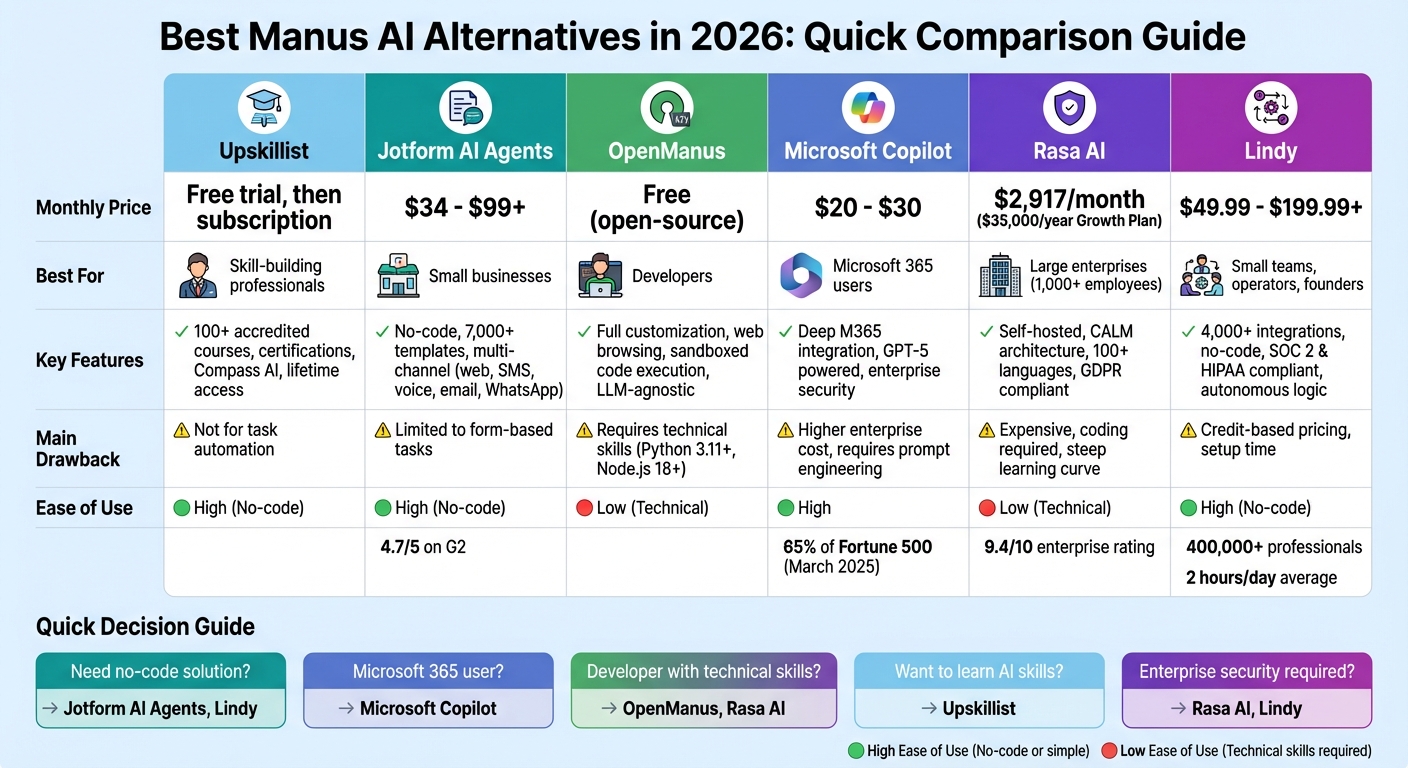
Manus AI Alternatives Comparison: Features, Pricing, and Best Use Cases 2026
Suna: The FREE Open Source Alternative to Manus AI
1. Upskillist

Upskillist prioritizes personal skill-building over task automation. It’s designed to help individuals gain expertise through structured and accredited courses. Here’s a closer look at its features, pricing, and who it’s best suited for.
Features
Upskillist offers access to over 100 accredited courses across areas like digital marketing, photography, graphic design, and business development. The platform incorporates tools like Compass AI and Pathfinder to create customized learning paths tailored to your goals. With interactive classes, ongoing assessments, and lifetime access to course materials, learners can enjoy a well-rounded educational experience. Plus, each course includes certification, which can enhance your professional profile.
Pricing
You can start with a 7-day free trial that grants full access to premium courses and AI tools. Afterward, you can continue learning through a monthly subscription plan.
Best For
This platform is a great fit for those looking to develop new skills in an organized, accredited way. Whether you’re planning to start a business, advance in your career, or dive into a new hobby, Upskillist’s university-certified courses can help you achieve your goals.
Limitations
While Upskillist excels at skill-building, it doesn’t provide tools for automating tasks.
2. Jotform AI Agents
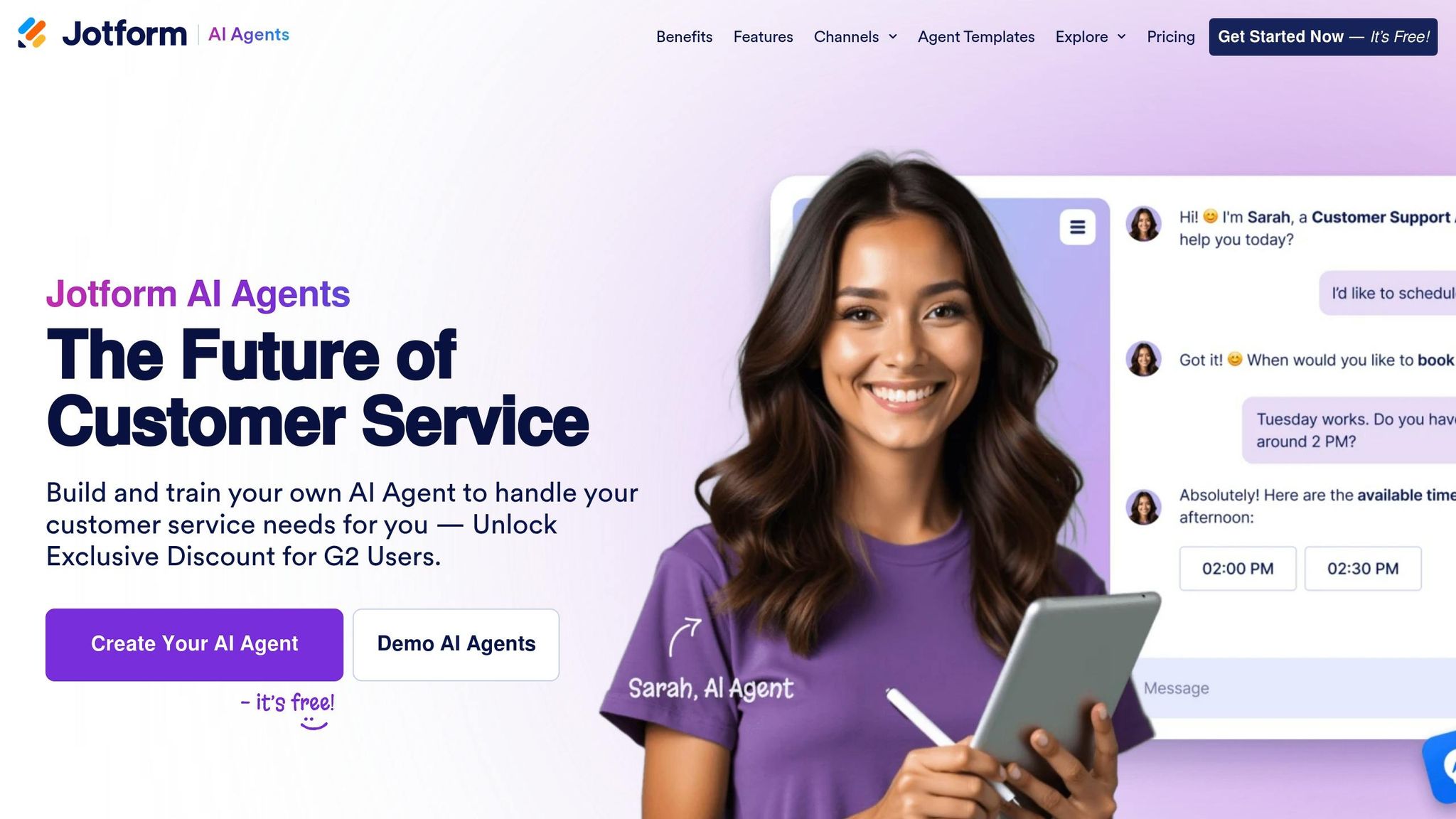
Jotform AI Agents transforms standard forms into interactive, multi-channel tools for customer service, all without requiring coding expertise. Unlike platforms designed for broad task automation, this tool focuses on enhancing forms into dynamic experiences that function across various channels. Let’s dive into what it offers.
Features
This platform allows you to deploy AI agents across web chat, SMS, voice calls, email, WhatsApp, and phone without writing a single line of code. You can train these agents using document uploads, URL crawling, or direct text input, making customization straightforward. With 7,000+ pre-built templates, setting up workflows is quick and easy. These agents can also automate actions like sending emails or updating CRM records through custom rules. The Gold plan supports up to 100 million characters of training data, enabling the creation of a robust knowledge base. For added peace of mind, the platform complies with GDPR, HIPAA, PCI DSS, and CCPA standards.
Pricing
Jotform AI Agents offers a free Starter plan, which includes 5 agents, 100 monthly conversations, 10,000 monthly sessions, and 30 minutes of voice calls. Paid plans start at $34 per month for the Bronze plan (25 agents, 1,000 conversations), $39 per month for the Silver plan (50 agents, 2,500 conversations), and $99 per month for the Gold plan (100 agents, 10,000 conversations). Enterprise plans are available with custom pricing, offering unlimited agents and conversations. If you opt for annual billing, you’ll save 20%. Additionally, nonprofits and educational institutions can benefit from a 50% discount.
Best For
Jotform AI Agents is ideal for businesses aiming to automate customer interactions and simplify form-driven workflows. It’s particularly effective for tasks like lead generation, appointment scheduling, and round-the-clock customer support. The platform has garnered strong reviews, with a 4.7/5 rating on G2 and a 4.8/5 score from 95 user reviews, with users frequently highlighting its user-friendly interface and extensive template options.
Limitations
While the no-code builder is user-friendly, some users report that the agents may struggle with handling more complex tasks and require ongoing training to perform effectively. Additionally, the platform’s specialization in form-related processes means it may not be the best fit for businesses seeking broader automation capabilities. This niche focus sets it apart from more general-purpose platforms like Manus AI.
3. OpenManus
OpenManus is an open-source framework that you can download, modify, and host on your own. Licensed under MIT/Apache, it offers full access to its source code, freeing you from proprietary restrictions or long waitlists. This setup allows for highly adaptable and personalized AI operations.
Features
OpenManus provides essential AI agent functionalities, including:
- Web browsing through Playwright
- Sandboxed code execution for Python and Node.js
- File management and shell command execution
Its LLM-agnostic framework supports a variety of models, such as GPT-4o, Claude 3.5, Gemini, or local options like Qwen 2.5 and Llama 3.3 (via Ollama). The Web UI enhances user experience by showing real-time activity, complete with live browser screenshots, logs, and detailed planning updates.
Want to extend its capabilities? You can build custom tools in Python and integrate them through the configuration file. All these features come with a simple and transparent cost structure.
Pricing
OpenManus is free to download and use. The only costs come from LLM API usage, while running local models is entirely cost-free. You can also set limits, like "max_cost_per_task = 5.00", to manage expenses effectively.
Best For
This framework is perfect for developers and startups that need full control over AI operations and privacy. Sectors like finance or healthcare, where data sensitivity is critical, can particularly benefit from its free access and flexibility.
Limitations
To use OpenManus, you'll need Python 3.11+, Node.js 18+, and familiarity with command-line tools. Be aware that autonomous agents can sometimes loop, leading to unintended credit usage if not monitored. Additionally, running advanced local models requires significant GPU resources.
4. Microsoft Copilot
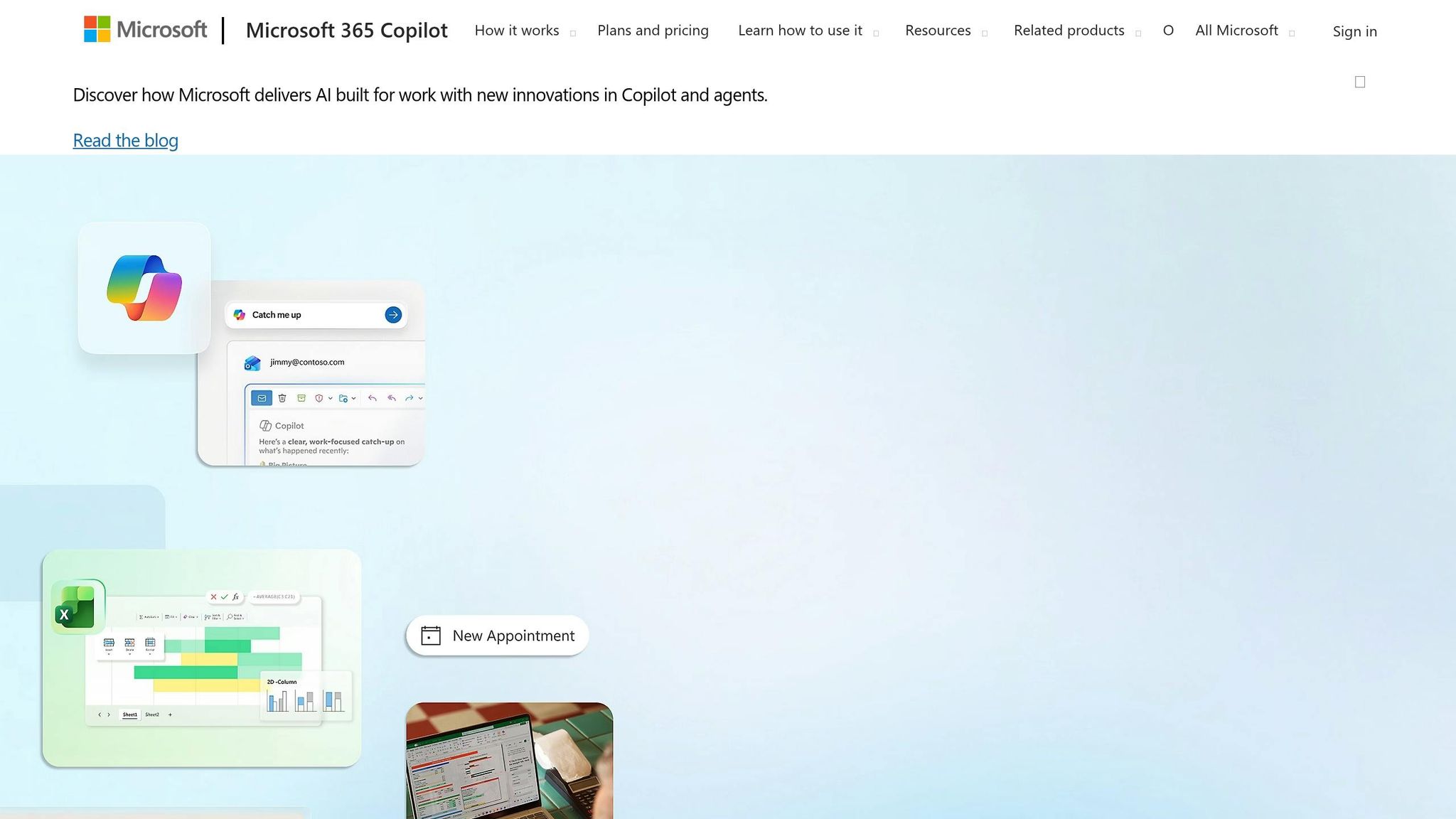
Microsoft Copilot brings proactive AI capabilities to the table, handling tasks like sending emails, scheduling meetings, and updating CRM records without requiring manual effort. Powered by OpenAI's GPT-5 series, it offers advanced reasoning and quick responses.
Features
One of Copilot's standout qualities is its seamless integration with Microsoft 365. It works directly within Word, Excel, PowerPoint, Outlook, and Teams, eliminating the hassle of switching between apps or copying data manually. By utilizing Microsoft Graph, Copilot taps into your emails, calendars, and documents while maintaining enterprise-grade security to ensure your data stays within your tenant.
"Copilot's biggest advantage is how it connects to your Microsoft data and apps... it uses the same GPT-4 technology that powers ChatGPT Plus, but adds Microsoft's security layers." – ToolsForHumans
With Copilot Studio, businesses can create custom agents tailored to their internal data and workflows. This feature is particularly important for industries like finance and healthcare, where data privacy is critical. The platform’s flexibility is enhanced by a tiered pricing model, making it accessible to a wide range of businesses.
Pricing
- Copilot Pro: $20 per user/month for individuals.
- Business Tier: $18 per user/month for small- to mid-size businesses.
- Enterprise E3/E5: $30 per user/month.
- Specialized Offerings: $50 per user/month for tools like Copilot for Sales or Service.
- Copilot Studio: Starts at $200 per month for 25,000 credits.
By March 2025, over 65% of Fortune 500 companies had adopted Copilot. Users report significant time savings, such as reducing proposal drafting from hours to minutes and summarizing a week’s worth of emails in seconds.
Best For
Copilot is a great fit for organizations heavily reliant on Microsoft 365 for their daily operations, especially those in regulated sectors where compliance and data security are critical. Developers also gain from GitHub Copilot, which provides real-time code generation and debugging. For businesses looking for AI tools that work directly within their existing productivity apps, Copilot is a strong contender.
Limitations
To get the most out of Copilot, users often need training in prompt engineering, as achieving optimal results can be challenging without precise instructions. At $30 per month for enterprise users, it’s about 50% more expensive than some competitors that charge $20 per month. Other drawbacks include occasional inaccuracies in summaries, slower performance with large files, and inconsistent handling of complex organizational databases. These factors mean Copilot is best suited for enterprises prioritizing integration, data security, and operational efficiency despite the higher cost.
5. Rasa AI
Rasa AI stands out by catering specifically to enterprise engineering teams that need full control over their conversational AI systems. Unlike many tools that prioritize quick setup and ease of use, Rasa is designed for industries like banking, healthcare, and government, where strict data privacy is non-negotiable.
Features
One of Rasa's key strengths is its infrastructure-agnostic deployment. This means you can run it anywhere - on a local laptop, private cloud, or even on air-gapped servers to meet GDPR or defense-related requirements. This flexibility ensures complete control over data. The platform’s CALM (Conversational AI with Language Models) architecture combines the fluency of large language models with deterministic business logic, reducing errors and ensuring reliability in critical workflows.
"Rasa is the best overall AI agent builder for enterprise teams that need self-hosted deployment, composable skills, and full code-level control over agent behavior." – Maria Ortiz, Rasa Blog
Rasa’s capabilities were demonstrated in March 2026 when Deutsche Telekom implemented the CALM framework. Supporting over 10,000 employees in both German and English, the system now resolves 50% of service desk inquiries autonomously, cutting human agent workload by 30%. Non-technical team members use Rasa Studio to design conversational flows, while developers handle more complex integrations.
Rasa's code-first approach relies on YAML files and command-line tools, which can be challenging to learn but allows for extensive customization. It supports over 100 languages and handles massive enterprise voice deployments with tens of thousands of concurrent calls. This multi-language support makes it especially appealing for global organizations.
Pricing
Rasa offers pricing plans tailored to enterprise needs:
- Developer Edition: Free forever, includes one bot per company and up to 1,000 external conversations per month (100 for internal agents).
- Growth Plan: $35,000 annually, designed for teams managing fewer than 500,000 annual conversations. Includes full platform access and basic support.
- Enterprise Plan: Custom pricing for unlimited scale, premium support, a dedicated customer success manager, and advanced security features.
Instead of charging per user, Rasa bases its pricing on annual conversation volume. This avoids the "seat-tax" model used by many SaaS platforms, making it more scalable for large teams. However, the high entry cost can be a hurdle for smaller organizations.
Best For
Rasa is ideal for large enterprises with 1,000+ employees in industries like finance, telecommunications, healthcare, and government, where data sovereignty is critical. It scored 9.4/10 in a 2026 evaluation of enterprise AI tools, excelling in orchestration and deployment flexibility. Organizations needing multi-agent orchestration, shared context across multiple channels (like chat, voice, and SMS), and full control over their AI systems will find Rasa particularly beneficial.
That said, successful implementation requires engineering resources or collaboration with a systems integration partner.
Limitations
Rasa’s biggest challenge is what users refer to as the "Plumbing Tax" - the significant effort needed to maintain NLU pipelines, dialogue policies, and server uptime. The steep learning curve means teams need a strong "builder mindset" and technical expertise.
While Rasa was initially designed for text-based bots, creating voice bots requires integrating external Speech-to-Text and Text-to-Speech services. This setup can introduce a 1–3 second delay in voice interactions compared to platforms with native voice capabilities.
At $35,000 annually for the Growth tier, Rasa’s upfront cost is higher than many competitors. However, its conversation-based pricing can make it more economical at scale. Deployment also takes longer than pre-packaged solutions, typically requiring 3–6 weeks to go live.
6. Lindy
Lindy serves as an AI-powered employee designed for lean teams, streamlining multi-step business processes across email, phone, Slack, and web channels. Tailored for operators, founders, and small teams, it handles workflows without requiring extra hires or coding expertise. With over 400,000 professionals actively using the platform, Lindy simplifies automation across major communication channels in a single, cohesive flow. By automating complex workflows with a human-like approach, it effectively tackles the challenges that have led users to explore alternatives to Manus AI.
Features
Lindy offers a no-code drag-and-drop builder that transforms plain-English instructions into detailed automation logic. It connects to more than 4,000 apps - including popular CRMs, calendars, and internal databases - and incorporates human-in-the-loop functionality, allowing manual approval checkpoints for critical actions.
"Lindy is the strongest alternative if you're using Manus to handle email, update CRMs, or manage multi-step tasks. It's the only tool in this list that replaces the agent logic part of Manus, not just the output." – Marvin Aziz, Founding GTM at Lindy
The platform's Autopilot feature allocates virtual cloud resources to extend task capabilities beyond standard API limits. Lindy is SOC 2 and HIPAA compliant, making it a reliable choice for industries with strict data security requirements, such as healthcare and finance. Users report saving an average of 2 hours of manual work daily by automating tasks like email triaging, meeting scheduling, CRM updates, and lead generation. To speed up deployment, Lindy also provides pre-built templates for roles like Meeting Notetaker, Sales Coach, and Email Triager. These features, combined with its seamless integration and advanced automation, justify its pricing structure.
Pricing
Lindy uses a credit-based pricing system, where each task consumes credits based on its complexity:
- Free: Includes up to 40 monthly credits for basic tasks.
- Pro: $49.99/month (billed monthly) for up to 1,500 tasks, including phone call capabilities.
- Business: $199.99/month (billed monthly) for team-wide automation and higher task volumes.
- Custom: Enterprise-level pricing with dedicated support and service-level agreements.
While the Pro plan at $49.99/month is pricier than traditional automation tools like Make.com ($10.59/month) or Zapier ($29.99/month), Lindy offers advanced AI reasoning and autonomous decision-making that these platforms can't match.
Best For
Lindy is ideal for sales, marketing, and customer support teams in small to mid-sized companies looking to automate repetitive tasks without technical expertise. Its strong CRM integrations, multi-channel communication capabilities, and compliance with enterprise-grade security standards make it a great option for businesses in highly regulated industries.
Limitations
The credit-based pricing model can lead to unexpected credit usage - complex workflows may consume credits more quickly than anticipated. Additionally, while Lindy operates as an "AI employee", its agents still require occasional oversight, and setting up intricate workflow logic can take time. With its ability to manage multi-channel processes and perform advanced AI reasoning, Lindy stands out in a competitive field, which will be further examined in the upcoming comparative analysis.
Comparison of Features and Pricing
Finding the right tool means juggling cost, usability, and how well it fits your workflow. In 2026, options range from free open-source platforms to enterprise-level solutions costing thousands of dollars annually. Each tool brings its own strengths and trade-offs, designed for different user needs. Here's a breakdown of how these alternatives address the gaps in Manus AI, offering benefits for various user profiles.
Upskillist is aimed at learners and professionals looking to boost productivity with AI through structured courses and hands-on training. It starts with a free trial, followed by subscription plans. Microsoft Copilot, priced at $20 per month for its premium plan, is perfect for users in the Microsoft 365 ecosystem, offering seamless integration with tools like Word, Excel, and Teams. Jotform AI Agents offers plans ranging from $34 to $99 per month, catering to businesses that need no-code solutions for form-based automation and customer service.
For developers and tech-savvy teams, OpenManus is a free, open-source platform that provides complete customization - though it does require technical know-how for deployment and maintenance. Rasa AI targets large enterprises with its Growth Plan priced at $35,000 annually (about $2,917 per month). It delivers advanced conversational AI with strong security features, but its high cost and need for coding skills make it less appealing for smaller teams. Lindy offers flexibility with plans from $49.99 to $199.99 per month. It’s a no-code solution with over 4,000 integrations, but its credit-based system can create unpredictable costs.
Here’s a quick snapshot of the key features and pricing for each tool:
| Tool | Monthly Pricing (USD) | Ease of Use | Target Users | Key Advantage | Main Drawback |
|---|---|---|---|---|---|
| Upskillist | Free trial, then subscription | High | Learners, professionals | Structured AI education & training | Not a direct automation tool |
| Jotform AI Agents | Free to $99+ | High (No-code) | Small to medium-sized businesses | Easy form/workflow integration | Limited to form-specific processes |
| OpenManus | Free (Open Source) | Low (Technical) | Developers, technical teams | Zero cost, full control | Requires technical expertise |
| Microsoft Copilot | Free to $20 | High | Microsoft 365 users | Deep integration with Microsoft 365 | Azure-centric; less flexible |
| Rasa AI | Free to $2,917/month* | Low (Technical) | Enterprise developers | High security and customization | High cost; coding required |
| Lindy | Free to $199.99+ | High (No-code) | Founders, operators, lean teams | 4,000+ integrations; autonomous logic | Credit-based limits; setup time |
*Based on a $35,000/year Growth Plan.
While basic access to many tools remains free, advanced features like autonomous agents, extended context windows, and enhanced reasoning are typically locked behind paid tiers. Tools such as Microsoft Copilot, Jotform AI Agents, and Lindy are ideal for non-technical users with straightforward onboarding. On the other hand, OpenManus and Rasa AI demand technical expertise but offer unmatched customization for those who can handle the complexity.
Conclusion
Choosing the right platform ultimately hinges on your specific needs and priorities, as each option brings unique strengths to the table.
If business automation is your focus, Fleece AI offers over 3,000 integrations and cron-based scheduling for recurring tasks. Meanwhile, Lindy stands out with its 4,000+ native integrations and autonomous workflow logic, making it a solid choice for lean teams or founders managing complex, multi-step processes.
For those prioritizing creativity and content, Claude 4 excels with a low hallucination rate (around 1%) and professional-grade writing capabilities. On the other hand, ChatGPT-5o shines with its advanced multimodal features. In one case, it transformed a 2,500-word blog post into multiple social media formats in just 18 minutes, with users reporting weekly time savings of 10 to 25 hours.
When it comes to personal productivity, Microsoft Copilot integrates seamlessly into the Microsoft 365 ecosystem. For users on a budget, Meta AI and the free tiers of ChatGPT and Gemini deliver strong multimodal capabilities without subscription costs.
For developers and technical teams, OpenManus provides a free, open-source framework for full customization. DeepSeek, known for its high-performance reasoning, offers an economical rate of $0.15 per million input tokens - a dramatic reduction compared to Claude Opus 4.6's $15 per million. Additionally, NxCode's dual-agent architecture and 70% revenue share make it appealing for those building monetizable apps.
Other platforms cater to specific niches, offering tailored benefits for unique use cases. For instance, Upskillist focuses on helping users build AI skills through structured, accredited courses, with a 7-day free trial to get started.
Ultimately, the best platform depends on your goals. Whether it's Fleece AI for streamlined workflows, Claude 4 for professional writing, Lindy for integration flexibility, or Upskillist for skill development, aligning your choice with your most pressing challenges will ensure you get the most value.
FAQs
How do I choose the right Manus AI alternative for my needs?
When choosing a Manus AI alternative, start by identifying your specific priorities - whether it's automation, collaboration, pricing, customization, or integration capabilities. Look for tools that align with these goals and match your team’s skill set. Also, think about usability and how seamlessly the platform fits into your existing workflow to ensure it meets your needs effectively.
Which options work best if I need strong data privacy and self-hosting?
For those who value data privacy and self-hosting, LocalAI.io and OpenClaw stand out as solid options. These tools let you run AI models directly on your own infrastructure, giving you full control over your data. By eliminating the need for third-party cloud services, they cater perfectly to users who prioritize privacy and independence in their AI workflows.
What should I watch for with credit- or usage-based pricing?
Credit- or usage-based pricing can come with its own set of challenges. Unpredictable costs are a big concern, as expenses can fluctuate based on usage, making it tricky to forecast spending accurately. This unpredictability can also lead to difficulties in managing budgets or systems effectively. To navigate this, it's crucial to have a clear understanding of the pricing structure and to keep a close eye on usage patterns. Staying proactive can help you avoid unexpected surprises.