

learnworlds alternatives
Compare eight LearnWorlds alternatives: pricing, features, and best use cases — from budget creator tools to enterprise LMS for training and compliance.
LearnWorlds is a powerful platform for creating and selling online courses, but it’s not for everyone. Its pricing starts at $29/month with additional fees, and it lacks support for standards like TinCan and xAPI. If you’re searching for alternatives, here’s a breakdown of 8 platforms that cater to different needs:
- Upskillist: Great for individual learners with a focus on skill-building and certifications. Offers a 7-day free trial.
- TalentLMS: Ideal for businesses needing employee training and compliance tools. Starts at $89/month.
- Thinkific: Perfect for individual creators and small businesses. Free plan available; paid plans start at $36/month.
- Kajabi: An all-in-one platform for entrepreneurs focused on course creation and marketing. Starts at $149/month.
- Teachable: User-friendly for creators and SMBs. Free plan available with transaction fees; paid plans start at $39/month.
- Docebo: Enterprise-focused with advanced AI tools and large-scale training capabilities. Pricing starts at $25,000/year.
- Tovuti LMS: Suited for blended learning and professional training organizations. Starts at $11,160/year for 50 users.
- iSpring Learn: Simplifies corporate training with PowerPoint integration. Pricing starts at $4.46/user/month for 300 users.
Quick Takeaway: Choose based on your goals - Upskillist for personal learning, TalentLMS for corporate training, Thinkific for creators on a budget, Kajabi for marketing-heavy needs, or Docebo for enterprise-level solutions.
1. Upskillist
Target Audience
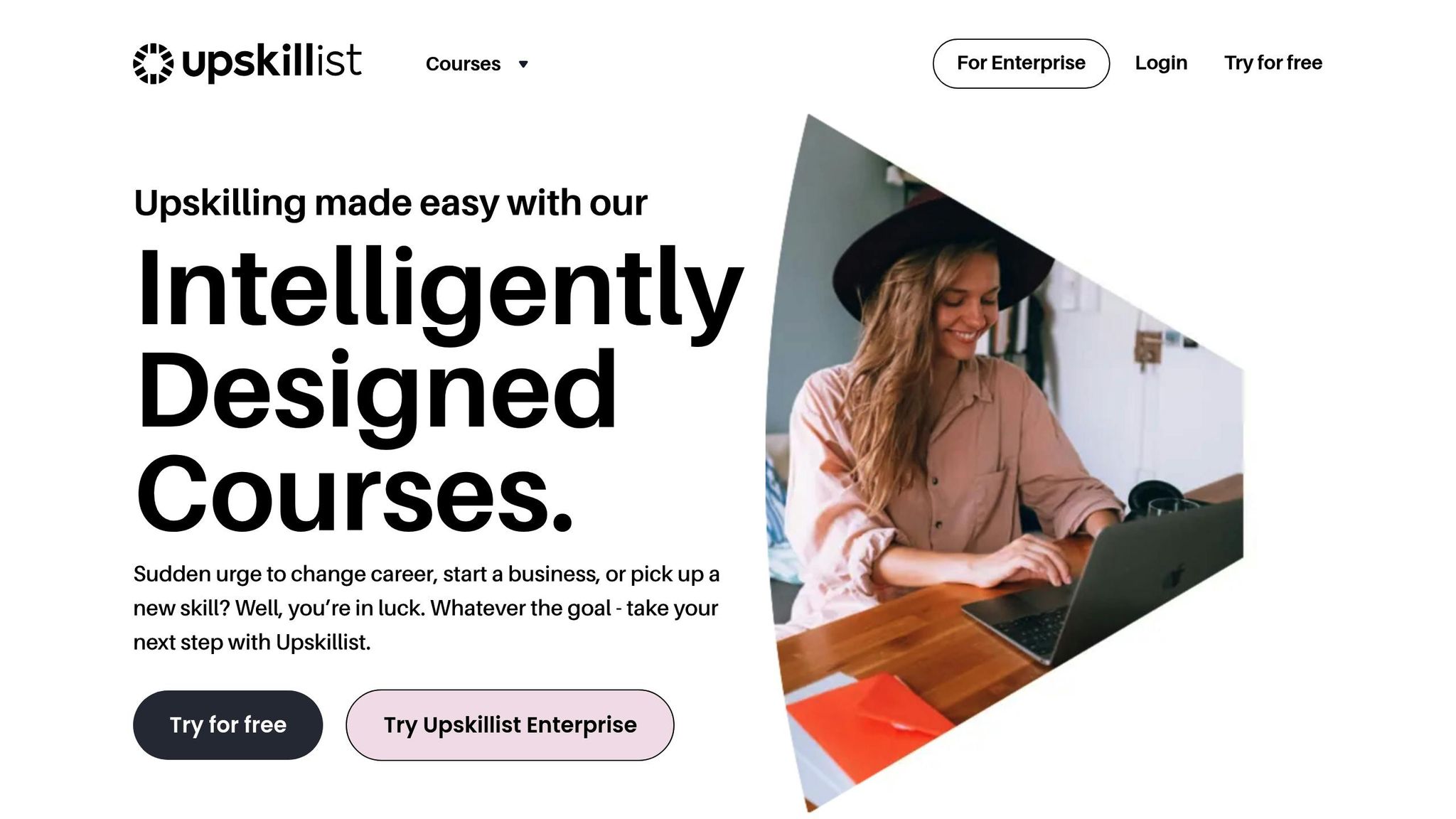
Upskillist is designed for learners worldwide who are eager to enhance their skills in business, career development, personal growth, or hobbies. Whether you're starting a business, aiming for a promotion, or diving into a new passion, this platform is a great fit for independent learners who value flexibility and want access to expert-led courses that teach practical, applicable skills.
Core Features
Upskillist offers a wide range of accredited courses in over 100 subjects, making it a versatile choice for learners with diverse goals. Its standout features include:
- Globally recognized certifications to boost your qualifications.
- AI-driven personalized learning paths that adapt to your progress and goals.
- Interactive online classes with flexible scheduling.
- Lifetime access to course materials, so you can revisit lessons anytime.
- Enterprise solutions for businesses looking to upskill their teams.
These features make Upskillist a user-friendly platform that combines convenience with quality, offering a trial experience that’s easy to explore without commitment.
Pricing (USD)
Upskillist’s pricing model starts with a 7-day free trial, giving users full access to premium courses and AI tools. This trial period allows you to explore personalized content and decide if it’s the right fit. If you choose to continue, you can subscribe to a monthly plan. You’re free to cancel anytime during the trial without any charges, making it a low-risk way to experience the platform.
Best Use Cases
Upskillist is ideal for focused, goal-driven learners who want a mix of structure and flexibility. It’s perfect for professionals looking to earn certifications for career growth, entrepreneurs sharpening their business skills, or individuals exploring new hobbies through engaging courses. If you’re seeking a tailored learning experience that adapts to your needs, Upskillist is a strong contender.
2. TalentLMS
Target Audience
TalentLMS is tailored for businesses focused on training employees, onboarding partners, or educating customers. It's particularly well-suited for internal training needs rather than selling courses. The platform shines in areas like compliance training, certification tracking, and managing various groups under a single account. For remote teams, it offers mobile-friendly offline access, allowing users to download content for convenience.
Core Features
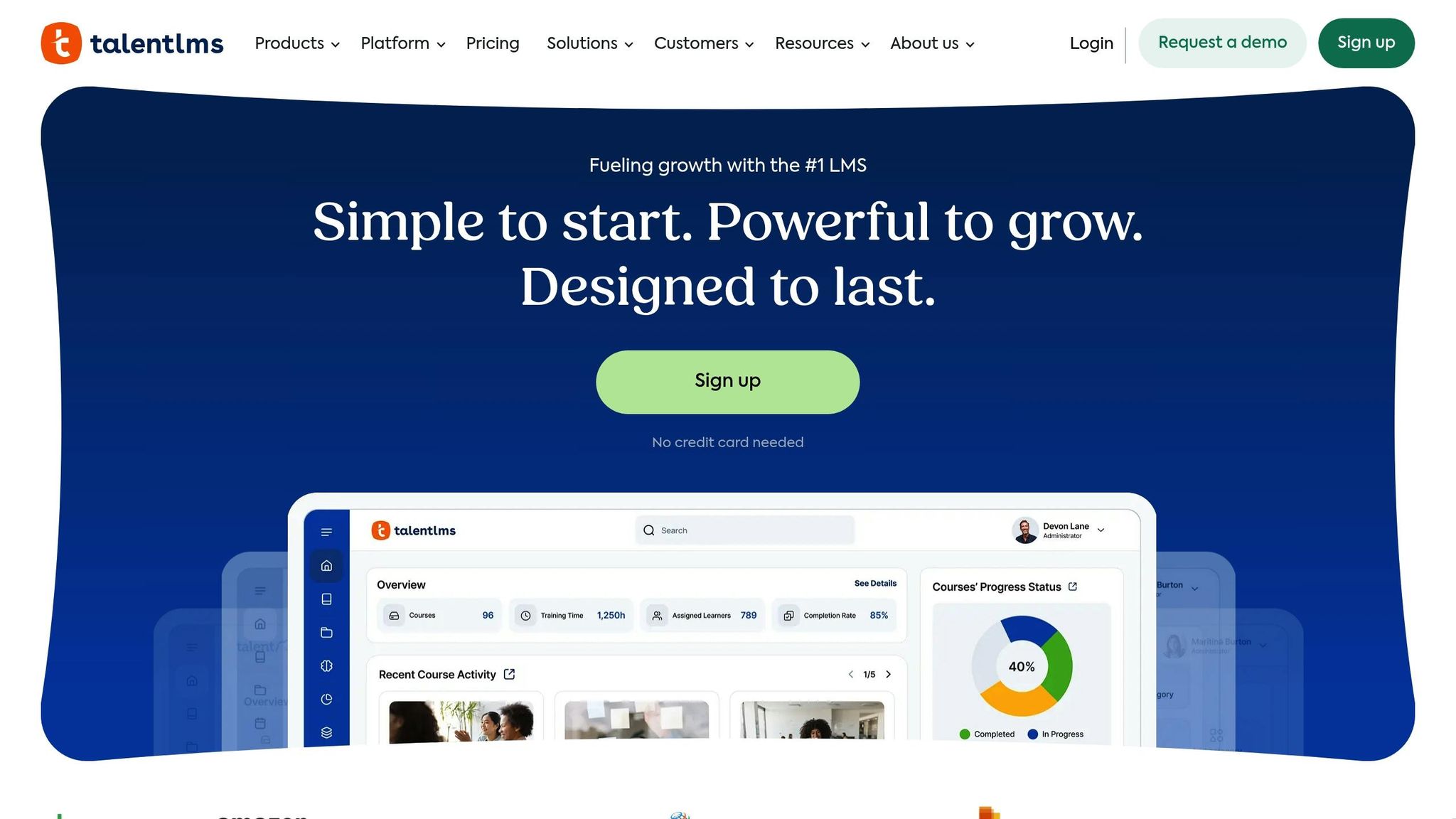
TalentLMS comes equipped with TalentCraft, an AI-powered tool that helps create courses, flashcards, summaries, and visuals. The platform also includes an AI Test Creator and a Translator that supports over 40 languages, enabling instant content localization. It supports a wide range of formats, such as video, audio, and presentations, and complies with eLearning standards like SCORM, xAPI, and cmi5. The Branches feature allows businesses to set up separate, branded portals for different departments, all from one account. To enhance engagement, TalentLMS incorporates gamification elements like badges, points, levels, and leaderboards. Additionally, its real-time reporting tools help identify training gaps and ensure compliance.
Pricing (USD)
TalentLMS offers a free plan that supports up to 5 users and 10 courses. Paid plans start at $89/month for the Starter tier, which accommodates up to 40 users, and go up to $569/month for the Premium tier, which supports up to 1,000 users. For businesses with fluctuating user activity, the platform offers an Active pricing model, which is based on monthly logins rather than total registered users, starting at $179/month. Annual billing comes with a 20% discount, and nonprofit organizations can also enjoy a 20% discount on yearly plans.
Best Use Cases
TalentLMS is a strong choice for employee onboarding, compliance training, and partner education. For example, hospitality company The Resident uses the platform to provide consistent, interactive training from the very first day. In 2024, software company Blip automated its customer education with TalentLMS, leading to a 41% faster onboarding process and a 15% reduction in support tickets. Corin Birchall, Head of Retail at Global, shared:
Within a week, we had TalentLMS up and running and developed about 10 courses. That helped our teams respond to the sudden changes in the market.
These examples highlight TalentLMS as a reliable solution for corporate training, offering flexibility and efficiency for a variety of industries.
3. Thinkific

Target Audience
Thinkific stands out as a powerful platform designed to meet the needs of individual course creators, training businesses, and larger organizations. It enables experts to turn their knowledge into revenue through scalable courses while also supporting academies and companies managing high learner volumes. Businesses aiming to reduce customer churn through educational programs will also find it valuable. With over 35,000 customers across 100+ countries and $3.7 billion earned by course creators, Thinkific has established itself as a go-to platform for both solo entrepreneurs and established organizations.
Core Features
Thinkific combines ease of use with advanced functionality. Its drag-and-drop builder makes course creation simple, even for beginners. For those looking to speed up the process, AI tools like the Course Outline Generator are available. The platform supports various course formats, including self-paced, drip, cohort-based, and live webinars.
For businesses, the TCommerce toolkit offers specialized B2B features like Group Orders, invoicing, and automatic tax collection for the U.S. and Canada. Thinkific's App Store allows seamless integration with popular tools such as Mailchimp, Zapier, HubSpot, and Zoom. Advanced features like SCORM compliance, randomized quiz question banks, and certificates for achievements cater to more complex learning needs. These tools make Thinkific a flexible solution for a wide range of course creation and delivery scenarios.
Pricing (USD)
Thinkific offers a Free plan that supports unlimited students and one course with no transaction fees. For those needing more features, the paid plans include:
- Basic: $49 per month (or $36 per month when billed annually)
- Start: $99 per month (or $74 annually), which adds features like assignments and live lessons
- Grow: $199 per month (or $149 annually), offering white-labeling and API access
For enterprise-level needs, Thinkific Plus provides custom pricing, dedicated support teams, and CRM integrations. Annual billing offers a 25% discount on all plans.
Best Use Cases
Thinkific has proven its value across a variety of scenarios:
- Hootsuite used Thinkific Plus to educate over 500,000 students through its customer training program while generating revenue from paid certifications.
- Keap reduced partner onboarding time by 30% using Thinkific Plus.
- Kat Norton (Miss Excel) transformed her popular TikTok Microsoft tips into a six-figure online course business using the platform.
"Thinkific offers exceptional scalability, enabling businesses to grow their course offerings and student base without any limitations. It can handle unlimited courses, students, and bandwidth, ensuring businesses can expand their e-learning offerings without worrying about technical constraints."
– Guy Marion, Chief Marketing Officer, Chargebee
These examples highlight Thinkific's ability to support both corporate training programs and independent creators aiming to monetize their expertise.
4. Kajabi
Target Audience
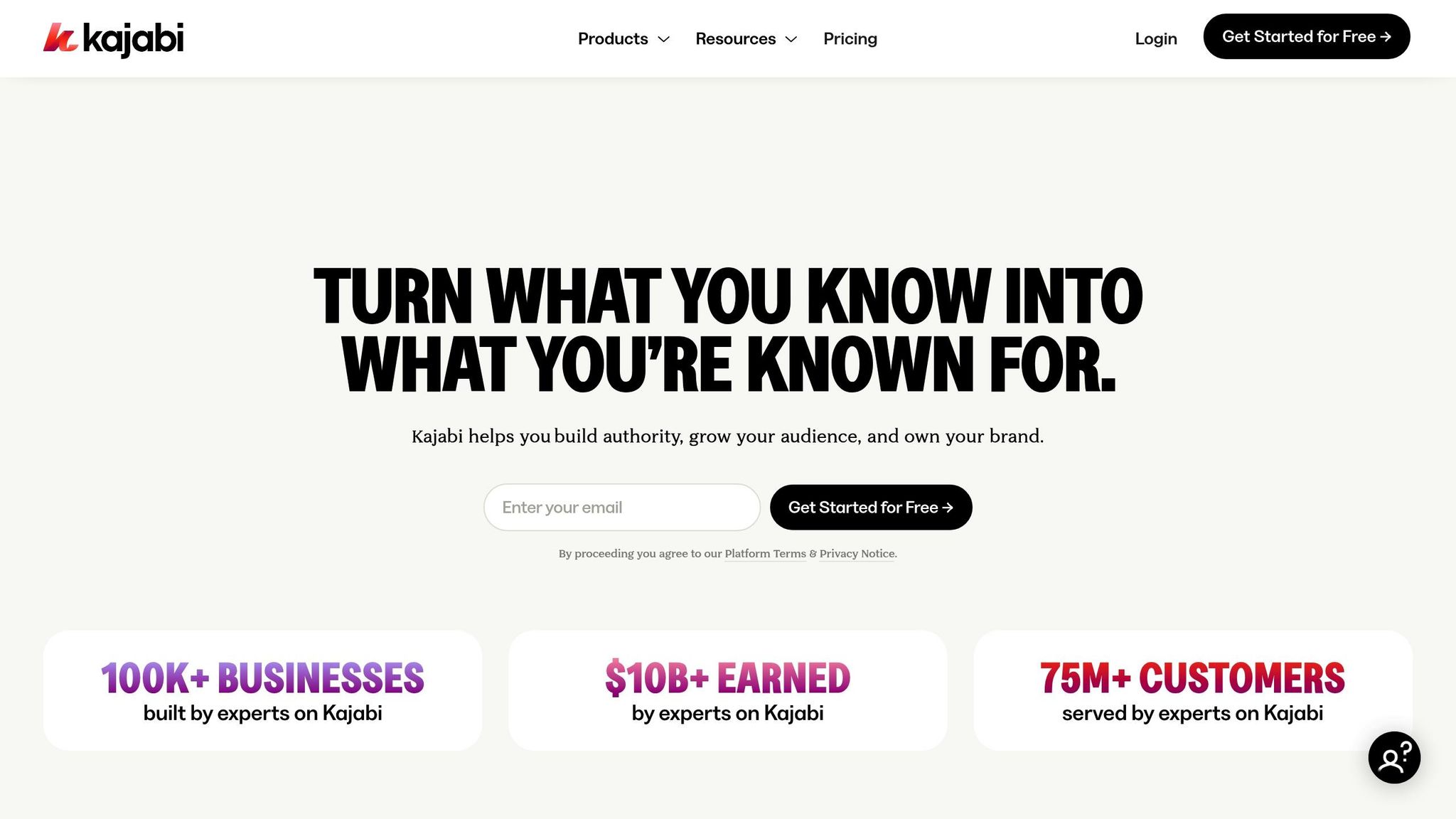
Kajabi is designed for creators, coaches, and digital entrepreneurs who want to turn their expertise into income without juggling multiple tools. It combines websites, email marketing, course creation, and payment processing into one streamlined platform [31,32]. To date, more than 39,000 businesses have been built using Kajabi, with creators collectively earning over $21 billion while serving more than 31 million customers worldwide. It caters to a variety of industries, including Beauty & Lifestyle, Finance, Fitness, and Real Estate, making it a versatile choice for professionals in diverse fields.
Core Features
Kajabi provides an all-in-one solution that includes tools for course creation, website building, marketing automation, and sales funnels [29,30]. It supports not only online courses but also coaching programs, communities, podcasts, newsletters, and digital downloads [28,29]. The platform’s Pipeline feature offers pre-built sales funnels to simplify the sales process, while its integrated CRM and automated email marketing help convert followers into paying customers [29,31]. Kajabi’s AI Creator Hub includes an AI-powered course outline generator, which speeds up the product creation process [3,32]. Additionally, Kajabi offers a custom-branded mobile app, allowing students to access content conveniently from their devices [31,33].
Pricing (USD)
Kajabi’s pricing reflects its all-in-one capabilities.
- The Kickstarter plan starts at $89 per month and includes 1 product, 1 community, and 250 contacts.
- The Basic plan costs $179 per month and supports 5 products with 2,500 contacts.
- The Growth plan is priced at $249 per month, offering 50 products, 25,000 contacts, and the option to run an affiliate program.
- The Pro plan, at $499 per month, includes unlimited products, 3 communities, 100,000 contacts, and a custom code editor.
Kajabi does not charge platform transaction fees, though standard payment processing fees still apply. A custom-branded mobile app is available for an additional $199 per month or is included with the Pro plan.
Best Use Cases
Kajabi has been the foundation for numerous success stories. Patricia Nikole built a 7-figure business using Kajabi’s tools. Natalie Ellis, co-founder of Bossbabe, used the platform to grow a community now valued at $20 million. Spencer Russell turned his literacy expertise into a 7-figure business, while Avery Smith created a six-figure business teaching data career skills.
5. Teachable

Target Audience
Teachable is designed for individual creators and small-to-medium businesses (SMBs) looking for a straightforward, dependable platform to create and market courses globally. The platform supports tens of thousands of educators worldwide. Unlike enterprise-level systems, Teachable prioritizes simplicity and marketing tools over extensive technical customization. This approach makes it an excellent fit for a wide range of users who value ease of use when managing and launching their courses.
Core Features
Teachable comes with a drag-and-drop course builder, enhanced by AI tools that can quickly create curricula and quizzes. The platform supports various offerings, including online courses, coaching sessions, digital downloads (like templates and guides), and membership models. One standout feature is its automated tax system, which handles U.S. sales tax and EU/UK VAT collection, reducing administrative hassles. Other notable tools include:
- AI-generated subtitles and translations in over 70 languages.
- Native iOS and Android apps for mobile accessibility.
- Drip content scheduling to release lessons over time.
- Completion certificates to reward students.
By focusing on user-friendly features, Teachable removes much of the technical complexity, making it easier for creators to focus on their content.
Pricing (USD)
Teachable offers four pricing plans to match different needs:
| Plan | Monthly Price | Annual Price (per month) | Transaction Fee | Published Products |
|---|---|---|---|---|
| Starter | $39 | $29 | 7.5% | 1 |
| Builder | $89 | $69 | 0% | 5 |
| Growth | $189 | $139 | 0% | 25 |
| Advanced | $399 | $309 | 0% | 100 |
Opting for annual billing provides a 22% discount. All plans include unlimited video storage and the ability to create unlimited product drafts. Additionally, Teachable ensures a 99.99% uptime for its hosted schools.
Best Use Cases
Teachable's flexible platform has fueled impressive success stories:
- FlightInsight: Dan George expanded his aviation training program from a handful of students to over 10,000 pilots globally by using Teachable to deliver courses 24/7.
- XelPlus Academy: Leila Gharani reaches students in 188 countries, relying on Teachable’s automated tax handling to focus her efforts on teaching rather than administrative tasks.
- The Science of Reading: Anna Geiger uses Teachable as the core revenue generator for her business, appreciating its simple content upload process and smooth payment system.
Creators on Teachable and its parent company, Hotmart, have collectively earned over $10 billion.
"Teachable's built-in tax handling has been a huge advantage, freeing me up to focus more on creating content and supporting my students."
– Razvan Ciobanu, Founder, Voxyde
6. Docebo
Target Audience
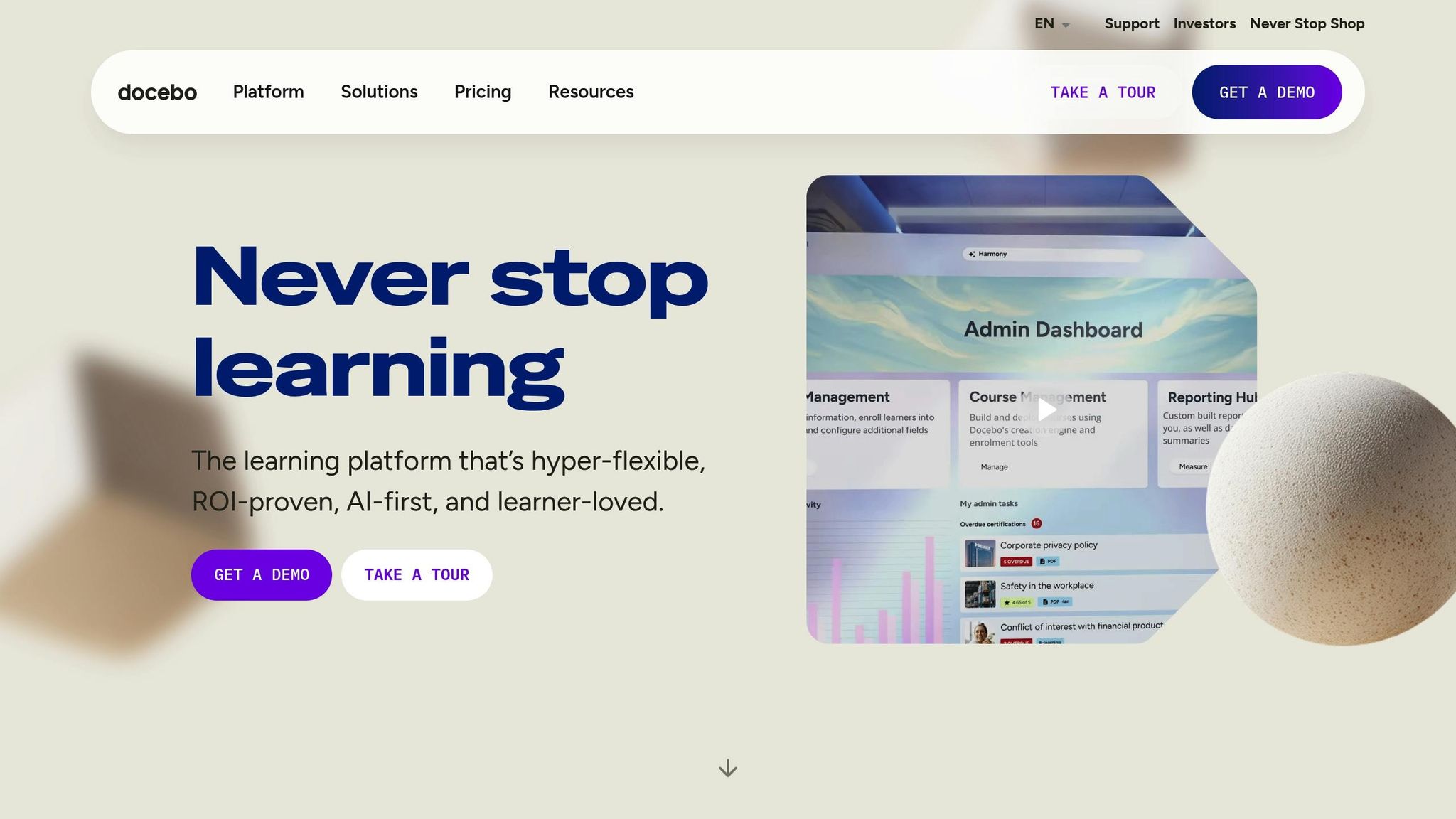
Docebo is designed for mid-market and enterprise organizations that need to train large-scale workforces. Unlike platforms tailored for individual course creators, Docebo supports companies managing thousands of learners spread across various departments, regions, or even continents. As of early 2025, the platform served 3,978 customers and reported an impressive Annual Recurring Revenue of $225 million. It’s particularly well-suited for organizations training 250 or more learners, offering advanced tools like multi-domain management, compliance tracking, and CRM integrations. Government agencies also rely on Docebo, thanks to its FedRAMP Moderate Authorization achieved in 2025, which allows it to handle high-security public sector contracts. This makes it a strong choice for organizations with complex and large-scale training requirements.
Core Features
Docebo brings an AI-first approach to the table, with standout tools like its AI Copilot. This feature offers virtual coaching, automated content tagging, and administrative support to streamline training efforts. The platform enables companies to manage employees, customers, and partners from a single dashboard, while allowing privacy and branding customization across up to 10 separate domains.
Its ecosystem includes over 400 pre-built integrations, connecting seamlessly with tools like Salesforce, Microsoft Teams, Workday, and various HRIS platforms. These integrations link learning data directly to key business metrics, such as sales performance and customer retention. Beyond that, the built-in content marketplace offers access to more than 30,000 pre-built courses and certifications. For those needing tailored content, Docebo Creator leverages AI to produce custom training materials. These robust features explain the platform’s pricing, which is outlined below.
Pricing (USD)
Docebo’s pricing starts at approximately $9 per user per month, with a 250-user minimum. That translates to a baseline cost of around $2,250 monthly or $25,000 annually. The platform offers two main tiers: Elevate, which includes AI-driven content creation and skills management with up to four integrations, and Enterprise, which adds features like advanced analytics, branded mobile apps, and priority support. Additional charges apply if user limits are exceeded, but upgrading becomes more economical once overages reach 30%. Suzan Haizlip, VP of Learning at MidFirst Bank, reported saving $11,000 annually by utilizing Docebo’s workflow automation tools.
Best Use Cases
Docebo’s capabilities translate into measurable benefits for enterprise clients. For example, Booking.com cut administrative overhead by 80% and saved over 800 hours for its learning team after adopting the platform. Cheney Dent, Senior Learning Platform Specialist at Booking.com, highlighted this efficiency improvement. Zoom uses Docebo to manage its Learning Center, supporting a massive global audience of 2,000,000 learners. Wrike saw a 300% boost in conversion rates after building a risk-free training environment on the platform, according to Chris Van Reusen, Sr. Director of Customer Education. Other success stories include Brooks Automation, which reduced employee ramp-up time by 30% with personalized learning paths, and Cloudbeds, which cut customer churn by 10% by tailoring its learning experience to customer needs.
"The amount of customization that you can do within the platform is endless."
– Cheney Dent, Senior Learning Platform Specialist, Booking.com
7. Tovuti LMS
Target Audience
Tovuti LMS caters to enterprises, government agencies, and professional training organizations seeking an all-in-one solution for both internal and external training needs. It's especially appealing to learning and development (L&D) professionals managing intricate training programs across multiple teams or locations. With certifications like FedRAMP Authorization, SOC 2 Type II compliance, and adherence to WCAG 2.1 standards, Tovuti is a strong choice for industries with strict regulatory requirements. For instance, Partners In Health streamlined training for 18,000 employees in 11 countries using Tovuti, while Optimist International saw a staggering 2,000% increase in training participation after adopting the platform. Below, we delve into the features that make Tovuti a standout choice for comprehensive learning management.
Core Features
Tovuti comes with a built-in course authoring tool that supports over 40 types of interactive content, such as quizzes, videos, and assessments. It also features an AI assistant, Dizi, which helps create polished course materials in just minutes. The Brand Manager tool allows organizations to design and manage multiple white-labeled learner portals and public-facing websites, each with its own branding and domain, all within a single system.
The platform includes a virtual classroom equipped with breakout rooms and attendance tracking, eliminating the need for third-party conferencing tools. Tovuti integrates with over 7,000 apps via Zapier and connects directly with platforms like Salesforce, ADP, and Workday. For payment processing, it supports four gateways: Stripe, Authorize.net, Heartland, and Converge.
Pricing (USD)
Tovuti’s pricing starts at $775–$930 per month for up to 50 users. For larger teams, the cost scales to $945 for 250 users, $1,325 for 500 users, and $1,925 for 1,500 users. Custom quotes are available for organizations with more than 1,500 users. Notably, Tovuti does not impose per-sale transaction fees. Additionally, branded iOS and Android mobile apps can be purchased for an extra charge. The platform is highly rated, with a 4.8 out of 5 score on Software Advice.
Best Use Cases
Tovuti shines in scenarios like employee onboarding, compliance training, and extended enterprise learning, thanks to its customization options and engaging testing tools. Susan R., a user from Information Services, shared her experience:
The content development tools in Tovuti are superior to any other LMS considered and the price can't be beat.
That said, some users have reported a steep learning curve due to the platform's complexity. Others have suggested that the reporting features could be improved, particularly when it comes to detailed quiz results. Despite these challenges, Tovuti maintains an impressive 4.8 out of 5 rating on Software Advice, based on 99 user reviews.
8. iSpring Learn
Target Audience
iSpring Learn is designed for organizations looking for a straightforward, easy-to-use learning management system (LMS). It’s a great fit for small to mid-sized businesses and HR teams that want to simplify training without a steep learning curve. If your team relies on PowerPoint presentations and you’re looking to turn them into interactive courses without needing an instructional designer, this platform is a solid choice. It’s also ideal for companies with remote or mobile workforces, like field sales teams or retail staff, as it supports offline mobile learning. For businesses focused on performance management, the built-in 360-degree feedback feature is a valuable tool, collecting competency assessments from peers, managers, and subordinates.
Core Features
One of iSpring Learn’s key features is its seamless integration with iSpring Suite. This allows you to transform PowerPoint slides into SCORM-compliant courses, quizzes, and dialogue simulations with just one click. The platform also includes an AI assistant to help generate course text, quiz questions, unique images, and translations, making course creation quicker and easier.
For corporate performance, iSpring Learn offers tools like 360-degree reviews and smart filters that automatically enroll employees based on their job title or department. Its mobile app is widely used, with over 575,000 downloads and 36,000 daily active users in 2024, maintaining an impressive 4.7/5 rating. These features make it a strong contender in the LMS market.
Derek M., a small-business owner, shared his thoughts:
iSpring LMS has numerous capabilities. Between gamification, reports, user management, learning material storage and organization, and creating learning tracks for various departments, iSpring LMS has changed the path for our organization - and just in time for expansion.
Pricing (USD)
iSpring Learn operates on a pay-per-active-user pricing model [64,67]. Here’s the breakdown:
- Business Plan: Starts at $4.46 per user/month for 300 users ($16,050 annually), drops to $3.97 per user/month for 500 users ($23,790 annually), and $3.58 per user/month for 1,000 users ($42,930 annually).
- Start Plan: Available at approximately $6.70 per user/month, billed annually.
- iSpring Suite Authoring Tool: Costs around $540 per author per year.
- Enterprise Plans: Custom quotes are available for organizations with up to 150,000 users, including on-premise installation options.
Notably, iSpring Learn has no transaction fees and reported zero downtime on its Amazon AWS servers in 2024.
Best Use Cases
iSpring Learn shines in scenarios like employee onboarding, sales training, and compliance programs. It’s particularly effective for organizations that want to repurpose PowerPoint content into engaging training materials. Automated enrollment rules help training managers save time, and the offline mobile app ensures field teams can complete their training even without internet access.
Janice S., a Director of Marketing/Communications, praised the support team:
I recently had an issue where we needed to produce a report for a user who we accidently deleted from the system. I contacted iSpring Support, and they responded right away, and tracked this report, and provided it that same day.
While the platform is highly rated (4.5/5 on G2 and 4.7/5 on Capterra), some users note that the reporting features feel basic for organizations with more than 250 users, and catalog customization options are somewhat limited. However, the support team’s efficiency stands out, resolving 83% of tickets within the first hour.
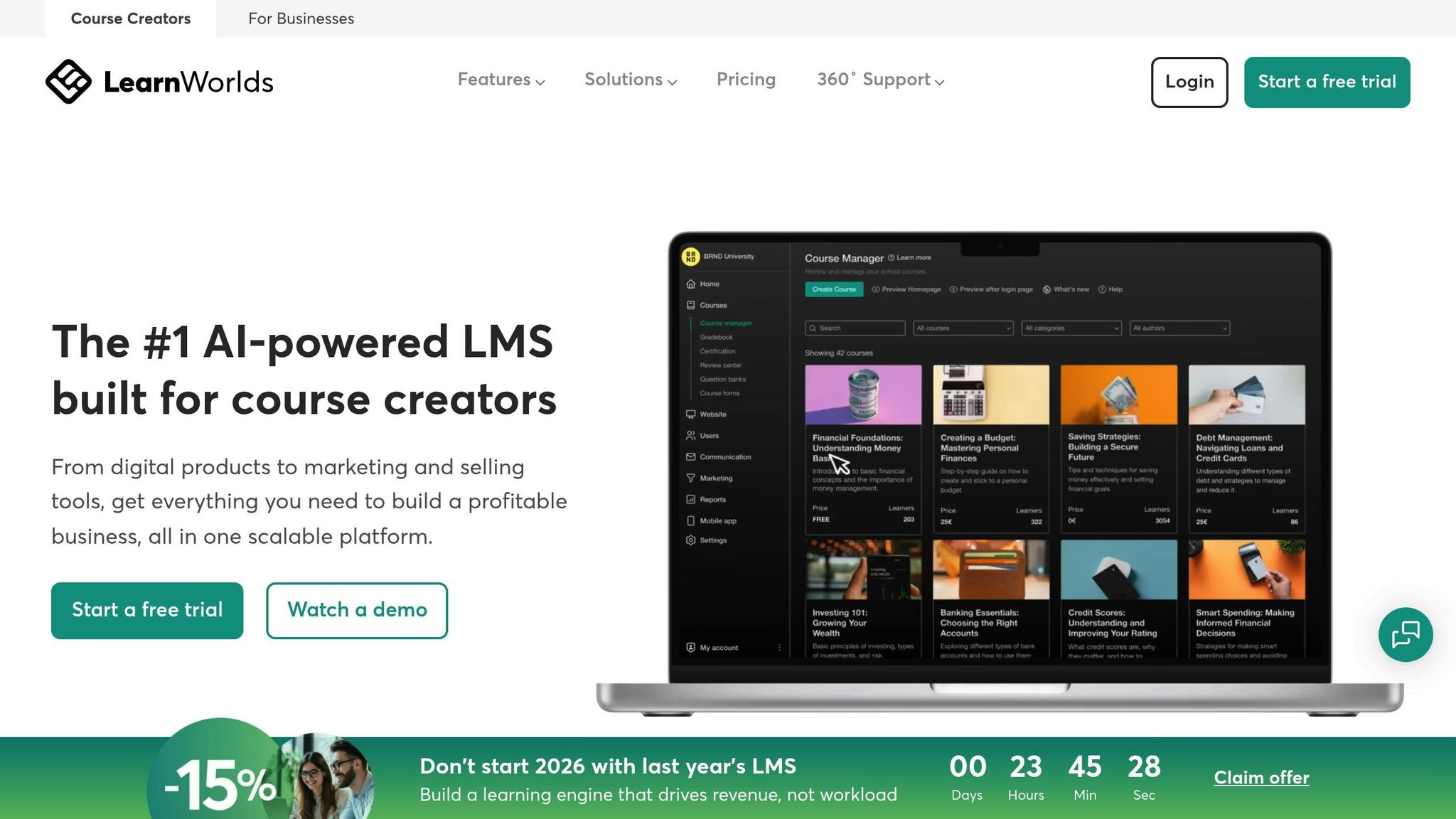
The BEST Online Course Platforms of 2025: Skool vs Thinkific vs Kajabi vs Teachable vs Learnworlds
Platform Comparison: Strengths and Weaknesses
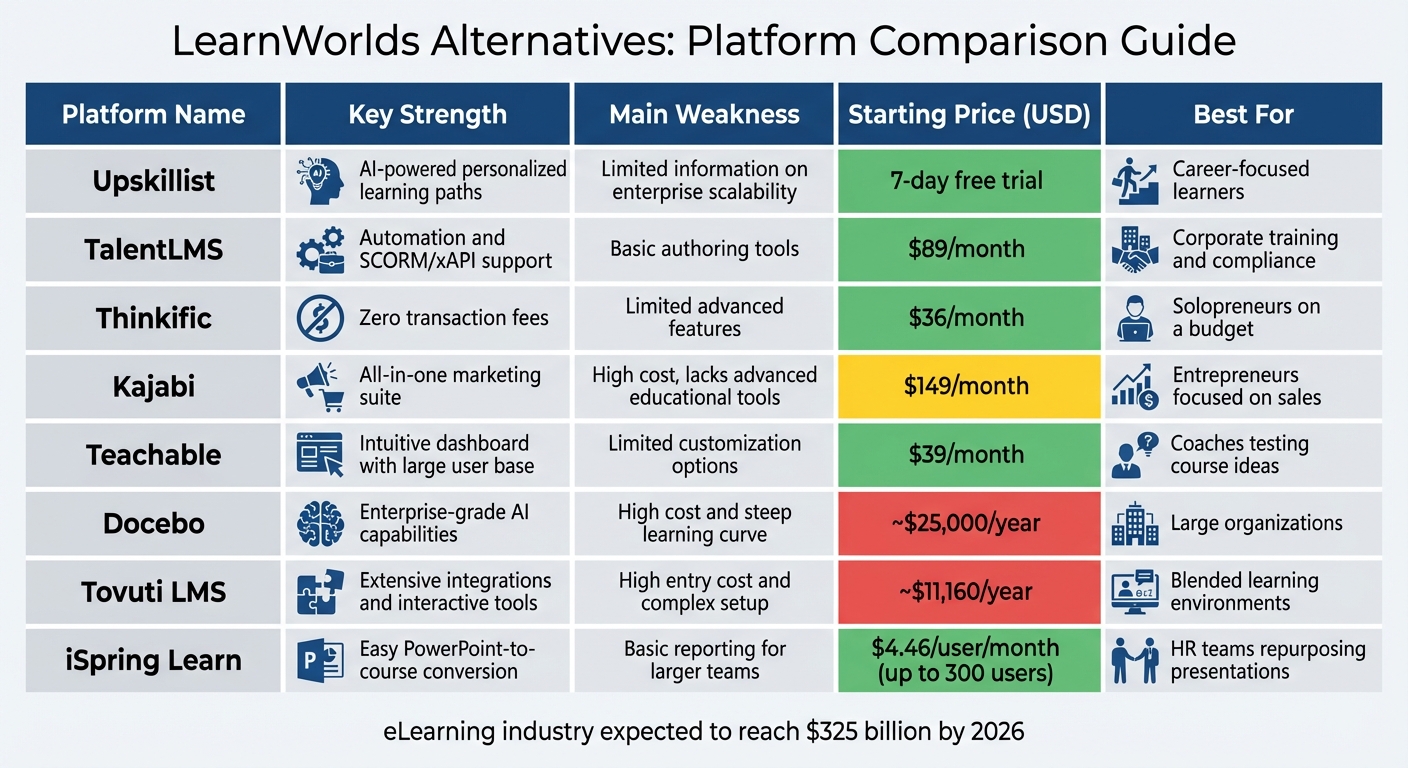
LearnWorlds Alternatives Comparison: 8 LMS Platforms by Features, Pricing and Best Use Cases
Choosing the right platform depends on your goals, budget, and technical expertise. Each option has its own strengths and drawbacks, making them suitable for different needs. Below is a breakdown of what each platform offers, including pricing and ideal use cases.
Upskillist stands out with AI-driven personalization tools like Compass AI and Pathfinder, along with lifetime access to its lessons. The 7-day free trial lets you explore premium features without committing, making it a great fit for individuals aiming to advance their careers or personal skills. However, details about its scalability for enterprise use are sparse.
TalentLMS is tailored for corporate training, offering robust automation features and support for SCORM/xAPI. While it shines in business environments, its authoring tools feel basic, and some users report occasional slowdowns during peak usage. Plans start at $89 per month.
Thinkific offers a rare perk: no transaction fees, even on its free plan. Its user-friendly interface makes it ideal for beginners, though it lacks advanced features like SCORM compliance, detailed reporting, and a mobile app builder. Paid plans begin at $36 per month.
Kajabi is a premium option, combining a full marketing suite with tools like CRM, email automation, and sales funnels. Starting at $149 per month, it doesn’t offer a free plan and lacks advanced educational tools like gradebooks or SCORM support. It’s better suited for entrepreneurs who prioritize sales and revenue over pure educational content.
Teachable provides an easy-to-use dashboard and serves a large community of over 124,000 instructors and 28 million students. Its free plan includes a 10% transaction fee, while paid tiers start at $39 per month but offer limited website customization. This makes it a practical choice for testing course ideas without hefty upfront costs.
Docebo delivers enterprise-level capabilities with AI-powered learning and extensive customization options. However, its steep learning curve and starting price of around $25,000 per year make it less accessible to smaller businesses. Large corporations benefit most from its advanced analytics and AI-driven recommendations.
Tovuti LMS excels in blended learning, boasting over 2,000 API integrations and interactive course design tools. However, its starting cost of approximately $11,160 per year for 50 users and a complex admin interface may deter smaller organizations.
iSpring Learn simplifies corporate training with its PowerPoint-to-course conversion feature and highly rated mobile app (4.7/5 from 575,000 downloads). Priced at $4.46 per user per month (up to 300 users), it’s a budget-friendly option for HR teams, though its reporting tools might be too basic for larger operations.
Summary Comparison
| Platform | Key Strength | Main Weakness | Price (USD) | Best For |
|---|---|---|---|---|
| Upskillist | AI-powered personalized learning paths | Limited information on enterprise scalability | 7-day free trial | Career-focused learners |
| TalentLMS | Automation and SCORM/xAPI support | Basic authoring tools | $89/month | Corporate training and compliance |
| Thinkific | Zero transaction fees | Limited advanced features | $36/month | Solopreneurs on a budget |
| Kajabi | All-in-one marketing suite | High cost, lacks advanced educational tools | $149/month | Entrepreneurs focused on sales |
| Teachable | Intuitive dashboard with large user base | Limited customization options | $39/month | Coaches testing course ideas |
| Docebo | Enterprise-grade AI capabilities | High cost and steep learning curve | ~$25,000/year | Large organizations |
| Tovuti LMS | Extensive integrations and interactive tools | High entry cost and complex setup | ~$11,160/year | Blended learning environments |
| iSpring Learn | Easy PowerPoint-to-course conversion | Basic reporting for larger teams | $4.46/user/month (up to 300 users) | HR teams repurposing presentations |
The eLearning industry is expected to hit $325 billion by 2026. Your decision should hinge on whether you prioritize user-friendliness (Teachable, Thinkific), marketing features (Kajabi), corporate automation (TalentLMS, Docebo), or personalized learning tools (Upskillist).
Conclusion
After analyzing the strengths of each platform, here’s a quick rundown to help you align your goals with the right solution.
If you’re focused on career growth and skill-building, Upskillist stands out with its AI-driven personalization and lifetime access to lessons. For corporate training, iSpring Learn and TalentLMS are excellent choices, offering cost-efficient options with SCORM compatibility and employee tracking features. Course creators will appreciate Thinkific and Teachable - Thinkific’s free plan and zero transaction fees make it perfect for testing new ideas, while Teachable’s user-friendly dashboard supports over 124,000 instructors and 28 million students.
For those prioritizing marketing automation, Kajabi combines CRM, email funnels, and course hosting in one package, starting at $149 per month. On the enterprise level, Docebo provides AI-based learning recommendations and detailed analytics, starting at about $25,000 annually. Tovuti LMS, meanwhile, supports blended learning environments with over 2,000 API integrations, starting at approximately $11,160 per year.
Explore free trials where available to ensure the platform you choose aligns perfectly with your learning or training needs.
FAQs
What are the main differences between LearnWorlds alternatives?
LearnWorlds alternatives differ significantly in cost, usability, features, and target audience. Some platforms are tailored for solo creators seeking straightforward and affordable solutions, while others are built for businesses that require more advanced tools and analytics.
For instance, certain platforms emphasize community-focused features, making them ideal for building engagement through memberships or shared learning experiences. On the other hand, some cater to larger organizations with enterprise-level capabilities, such as detailed reporting, built-in onboarding tools, and AI-driven course creation. Pricing varies widely - from budget-friendly options for smaller creators to high-end plans that can cost tens of thousands of dollars annually for businesses.
Choosing the right platform comes down to what matters most to you: affordability, simplicity, fostering community, or robust customization for enterprise needs.
What’s the most affordable platform for individual course creators?
If you're an individual course creator trying to keep expenses in check, the LearnWorlds Starter plan at $29 per month could be just what you need. It provides the fundamental tools to create, host, and sell your courses, all at a price that's more affordable than many other platforms.
This plan works well for educators looking for a professional platform without stretching their budget. It's especially appealing for those who are new to course creation or working with tighter financial constraints.
How do these platforms help with corporate training and compliance?
Many of the platforms mentioned function as learning management systems (LMS), perfect for corporate training and meeting compliance needs. These systems serve as all-in-one hubs for creating, delivering, and tracking training content. They often include features like progress tracking, shared course libraries, and certification options, which help organizations meet both regulatory and internal compliance goals.
Some platforms go a step further by offering tools to quickly build or update training modules, assist with employee onboarding, identify skill gaps, and generate in-depth reports. These capabilities enable businesses to align with industry standards, simplify their training workflows, and expand their learning programs efficiently.