

Fireflies.ai Review 2026: Features, Pricing & Is It Worth Using?
Fireflies.ai Review 2026: Features, Pricing & Verdict
Affiliate disclosure: This post contains affiliate links. If you purchase through these links, we may earn a commission at no extra cost to you.
Meetings are supposed to help us make decisions. But how often do we leave a meeting only to spend another 20 minutes writing notes, assigning tasks, and remembering who agreed to what?
That is the problem AI meeting assistants are trying to solve.
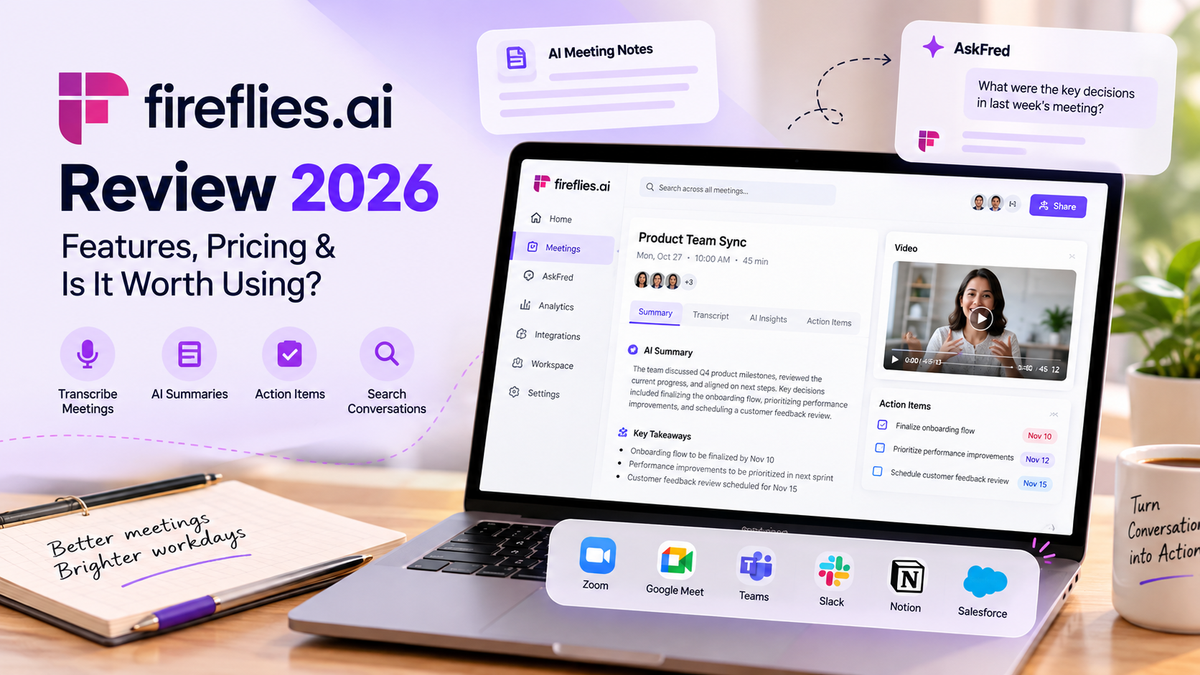
Fireflies.ai is an AI-powered meeting assistant that records conversations, generates summaries, identifies action items, and makes past discussions searchable. But does it actually improve productivity, or does it simply create more AI-generated content?
Let's find out.
TL;DR: Is Fireflies.ai Worth It?
Yes, particularly if you spend a significant amount of time in meetings.
Fireflies helps reduce manual note-taking, capture decisions, and retrieve information from previous conversations.
It's especially useful for project managers, sales teams, consultants, recruiters, and professionals working across multiple teams.
However, occasional meeting users may find the free plan sufficient, while businesses should evaluate privacy requirements and additional AI credit costs before upgrading.
Key Takeaways
- AI-powered transcription: Automatically captures and transcribes meetings.
- Smart summaries: Highlights important discussions, decisions, and action items.
- AskFred AI: Helps retrieve information from recorded conversations.
- Workflow integrations: Connects meeting information with CRM and productivity tools.
- Flexible pricing: Offers a free plan alongside paid options for professionals and businesses.
What Is Fireflies.ai?
Fireflies.ai is an AI meeting assistant designed to make conversations easier to document, search, and act upon.
It works with popular meeting platforms, including Zoom, Google Meet, and Microsoft Teams.
Instead of manually preparing meeting minutes, users can access transcripts, AI summaries, and follow-up information after their meetings.
The biggest advantage isn't simply recording what was said.
It's making that information useful afterward.
Top 5 Fireflies.ai Features
1. AI Meeting Transcription
Fireflies automatically transcribes conversations, allowing participants to focus on the discussion instead of taking notes.
This is particularly useful during client calls, interviews, and project reviews where important details can easily be missed.
2. AI Summaries and Action Items
Rather than reading an entire transcript, users can review AI-generated summaries highlighting key discussions and next steps.
For project managers, this can reduce the time spent preparing meeting minutes and follow-up emails.
3. AskFred AI Assistant
AskFred allows users to ask questions about meeting content.
For example:
- What deadlines were agreed upon?
- What concerns did the customer raise?
- What decisions were made during the project review?
This makes previous meetings easier to revisit without replaying entire recordings.
4. Conversation Intelligence
Fireflies provides insights into meeting conversations, including speaking patterns and other discussion metrics.
These features can be useful for sales coaching, customer-facing teams, and managers reviewing recurring conversations.
5. Integrations and Automation
Fireflies integrates with business applications such as Salesforce, HubSpot, Slack, and project-management tools.
This helps teams connect meeting information with their existing workflows instead of manually transferring every action item.
Fireflies.ai Pricing in 2026
Fireflies offers four main subscription plans.
| Plan | Price per User/Month (Annual Billing) | Best For |
|---|---|---|
| Free | $0 | Individuals exploring AI meeting notes |
| Pro | $10 | Professionals and small teams |
| Business | $19 | Teams needing advanced analytics |
| Enterprise | $39 | Organizations requiring advanced controls |
Prices are based on published annual-billing rates and may change. Some advanced AI features require additional credits.
Our recommendation: Start with the free plan. Consider Pro when you need more storage, recording capabilities, and integrations. Business makes more sense for teams using conversation analytics.
Fireflies.ai Pros and Cons
| Pros | Cons |
|---|---|
| Reduces manual note-taking | AI summaries may require corrections |
| Makes past meetings searchable | Advanced features can cost extra |
| Identifies action items | Requires appropriate recording consent |
| Integrates with business tools | May overlap with existing meeting software |
| Offers a free plan | Less useful for occasional meeting users |
Who Should Use Fireflies.ai?
Fireflies is particularly useful for professionals whose work depends on conversations, decisions, and follow-ups.
Project and Program Managers: Capture stakeholder decisions, project risks, dependencies, and follow-up commitments.
Sales Professionals: Document customer requirements, objections, and next steps without constantly taking notes.
Recruiters: Capture interview discussions for later review, with appropriate candidate consent.
Consultants and Agencies: Keep track of client conversations, requirements, and deliverables across multiple accounts.
Remote Teams: Share meeting context with colleagues who couldn't attend every discussion.
Fireflies.ai vs Manual Meeting Notes
| Feature | Manual Notes | Fireflies.ai |
|---|---|---|
| Meeting transcription | Manual | Automated |
| Meeting summaries | Written manually | AI-generated |
| Finding past discussions | Search through documents | Searchable transcripts |
| Action items | Manually recorded | AI-assisted extraction |
| Sharing meeting context | Requires preparation | Shareable meeting records |
Fireflies can save time, but important decisions and action items should still be reviewed before being shared.
How to Get Started With Fireflies.ai
Getting started is straightforward:
- Sign up for Fireflies.ai.
- Connect your preferred meeting platform.
- Configure recording permissions and preferences.
- Record an eligible meeting.
- Review the AI-generated transcript, summary, and action items.
Start with one recurring meeting and compare how much time you spend preparing follow-up notes before and after using Fireflies.
Final Verdict: Is Fireflies.ai Worth It in 2026?
Fireflies.ai is worth considering if meetings take up a significant part of your working day.
Its strongest features aren't just transcription and recording. They're the ability to find information, revisit decisions, and reduce repetitive administrative work.
For project managers, sales professionals, recruiters, and distributed teams, that can make a noticeable difference.
However, AI-generated summaries aren't always perfect, and teams should evaluate recording permissions, existing software capabilities, and additional costs.
The real question isn't whether AI can take better notes.
It's whether those notes help you get more work done after the meeting ends.
If that's something you want to improve, try Fireflies.ai and see whether it fits your workflow.
Frequently Asked Questions
Is Fireflies.ai free?
Yes. Fireflies offers a free plan with core meeting transcription and summary capabilities, subject to usage limits.
Does Fireflies.ai work with Google Meet and Microsoft Teams?
Yes. Fireflies supports Google Meet, Microsoft Teams, Zoom, and other supported meeting environments.
Can Fireflies.ai automatically generate meeting summaries?
Yes. It generates AI-powered summaries and identifies action items, although important details should be reviewed.
Is Fireflies.ai good for project managers?
Yes. It can help project managers document decisions, identify follow-up actions, and retrieve information from stakeholder discussions.
Is Fireflies.ai worth paying for?
If you attend frequent meetings and regularly prepare notes or follow-ups, a paid plan may be worthwhile. Occasional users should start with the free version.