

Best AI Agents for Video Marketing
AI tools now make high-quality, scalable video marketing faster and far cheaper—choose platforms based on production, personalization, localization, and cost.
AI tools are transforming video marketing by making it faster, cheaper, and more efficient. Whether you're creating personalized videos, cinematic ads, or social media content, these platforms help businesses save time and money. Here's a quick breakdown of the top options:
- Runway (Gen 4.5): Advanced video editing with tools like motion capture and text-based edits. Ideal for high-quality production.
- HeyGen: Great for personalizing videos at scale, with features like digital avatars and multilingual translations.
- Google Veo 3: High-end cinematic video creation with synchronized audio and multilingual capabilities.
- Synthesia: Perfect for corporate training and internal videos, offering a wide library of avatars.
- Kling AI: Best for long-form content and localization, with affordable pricing.
- Luma Dream Machine: Focused on 3D product visuals and social media-friendly content.
- Pika: Quick and easy tool for short-form social media videos, ideal for beginners.
- LTX Studio: Comprehensive platform for end-to-end video production.
- Tagshop AI: Specialized in ecommerce and shoppable video ads.
- Upskillist: Converts marketing materials into educational video lessons.
Quick Tip: Start with a free trial or low-cost plan to test which platform fits your needs. Each tool caters to specific use cases, so choose based on your goals - whether it's personalization, localization, or scaling campaigns efficiently.
Best AI Video Generators in 2026 (Most Realistic)
1. Runway (Gen 4.5)
Runway Gen-4.5 is a leader in AI video generation, boasting 1,247 Elo points and holding the top spot in industry benchmarks. By June 2025, the platform had reached an impressive $90 million in annualized revenue and achieved a market valuation of $1.5 billion. One of its standout features is its ability to maintain character consistency across multiple scenes, addressing a long-standing challenge in AI video production.
Video Creation and Editing Features
Runway has built its reputation on delivering high-quality video creation and editing tools. Gen-4.5 offers exceptional motion quality with physics that feel natural. Its Aleph in-video editing system allows users to tweak existing videos using simple text commands - no need to regenerate the entire clip. Want to change the lighting to a "golden hour" glow or add a rain effect? Just type it in.
The Act-Two motion capture tool is another game-changer. It lets users capture facial expressions and body movements from a smartphone video and seamlessly apply them to digital characters.
For those needing speed, the Gen-4 Turbo model generates videos 5x faster than the standard version. A 10-second clip in Turbo mode takes about 30 seconds to produce, compared to 2–5 minutes with the standard model. This speed advantage comes at a cost of 5 credits per second, compared to 12 credits for the standard option. Marketing teams often use Turbo for quick concept testing before finalizing their projects with the standard model.
Scalability for Marketing Campaigns
Runway’s World Consistency feature ensures uniformity in characters, locations, and objects across projects with 50 or more shots, making it ideal for large-scale campaigns. API access enables high-volume automation, reducing production timelines from hundreds of weeks of collective labor to just 75–150 hours with AI-driven workflows. This efficiency also translates into significant cost savings: traditional video production costs of $5,000–$15,000 per minute can be cut down to approximately $300–$600 using Runway.
In 2026, a common workflow combined Runway for cinematic B-roll footage with avatar tools for spokesperson shots, creating a fully automated production pipeline. These tools empower marketing teams to produce consistent, high-quality content quickly and effectively.
Pricing and Accessibility
Runway’s pricing structure is designed to be flexible. Plans start at $12/month for 625 credits, $28/month for 2,250 credits and 4K export options, and $76/month for unlimited generation in Explore Mode. The platform has earned a 4.7/5 rating from verified users, with many highlighting the Aleph editing tool as a standout feature. However, one limitation is the 16-second maximum duration per clip, which means longer videos require multiple generations.
The platform’s impact on the industry is significant, as highlighted by NVIDIA’s Jensen Huang:
"We're proud that Runway built their groundbreaking video and world model on NVIDIA GPUs, and are thrilled to see Runway revolutionize the video generation industry." - Jensen Huang, President and CEO of NVIDIA
2. HeyGen
HeyGen takes AI video marketing a step further by simplifying production and making personalization easier than ever. With millions of videos and avatars already created, HeyGen is trusted by over 100,000 teams, including big names like Amazon, Samsung, and Salesforce. The platform holds an impressive 4.8/5 rating from more than 1,300 reviews.
Video Creation and Editing Capabilities
HeyGen's AI Video Agent acts like a full production studio right in your browser. All you need is a prompt, and it takes care of everything - scripting, storyboarding, and editing. It can even generate motion graphics, visual overlays, and B-roll footage from simple text instructions.
For more control, the AI Studio Editor lets you edit videos as easily as editing a document. You can adjust scenes and timelines with precision, making the whole process incredibly intuitive.
The platform also offers over 1,000 stock avatars, plus the ability to create Digital Twins - custom avatars built from just an image or video clip. These avatars feature natural gestures and lip-sync accuracy of over 95%. HeyGen can also transform scripts, PDFs, blogs, or slide decks into high-quality 1080p or 4K videos. To top it off, the Brand Kit stores your logos, colors, and fonts, ensuring your videos maintain a consistent look.
But HeyGen isn't just about making videos; it excels at tailoring content for different audiences and markets.
Personalization and Localization Features
HeyGen’s Video Translator can localize content into more than 175 languages and dialects while keeping the speaker's voice, tone, and natural lip-sync intact. This feature can cut localization costs by up to 80% and reduce turnaround times from weeks to just one day.
For even more customization, the Personalized Video Service integrates with CRMs like HubSpot. It automatically includes personalized details - like names, companies, and locations - into your videos, making it easy to create tailored content at scale.
Steve Sowrey, a Learning Media Designer at Miro, shared how HeyGen transformed their video production process:
"It has empowered our writers to have the same level of creativity in the process that I do when it comes to visual storytelling mediums." – Steve Sowrey, Learning Media Designer, Miro
These tools make personalization effortless while fitting seamlessly into high-volume workflows.
Scalability for Marketing Campaigns
HeyGen’s API and CRM integrations make it a powerful tool for scaling marketing campaigns. For instance, Roger Hirst, Co-Founder of Vision Creative Labs, completely changed how his weekly filming routine worked:
"The magic moment for me was when we had a film that I've been doing every week. Suddenly, we realized I could write a script, send it in, and never have to go in front of a camera again." – Roger Hirst, Co-Founder, Vision Creative Labs
Similarly, Justin Meisinger, Program Manager at Workday, used HeyGen to handle more projects without needing additional team members. On average, users save three hours per video and cut post-production time by 50%.
Pricing and Accessibility
HeyGen offers options to fit different needs. The Free Plan includes basic text-to-video tools, while the Creator Plan supports videos up to 3 minutes long with a 15-minute monthly quality limit. For larger needs, the Enterprise Plan provides custom video lengths, unlimited generation and translations, and compliance with SOC 2 and GDPR standards.
The Premium Mode for the Video Agent uses 20 credits per minute of generated video. To make the process even smoother, the "Chat to Plan" feature helps refine your video concept before spending any credits on the final render.
HeyGen’s combination of ease, personalization, and scalability makes it a standout option for modern video marketing.
3. Google Veo 3
Google Veo 3 sets itself apart by natively generating synchronized audio. Unlike other tools that produce silent clips requiring separate sound editing, Veo 3 handles it all - dialogue synced to lip movements, sound effects, and background music - in one seamless process [35,36]. This integrated audio capability lays the groundwork for its advanced editing and customization tools.
Video Creation and Editing Capabilities
Veo 3 offers multiple input options: text-to-video, image-to-video (perfect for animating product photos), and frames-to-video for precise shot control [35,36,40]. It recognizes cinematic terms like "timelapse", "aerial shot", and "dolly-in", delivering polished results in 720p or 1080p resolution [38,39,42]. In the MovieGenBench test, Veo 3.1 outperformed competitors, with 72% of human evaluators preferring its prompt results over OpenAI's Sora, which scored 23%.
Features like "Jump to" and "Extend" ensure character consistency across clips, a must for cohesive storytelling in brand campaigns [35,36,42]. For marketers, the integration with Google Vids allows the creation of AI presenters from scripts, eliminating the need for cameras.
A practical example: In May 2025, Media Shower's team used Veo 3 to produce a 60-second product commercial in just eight hours. The cinematic-quality project cost under $500, slashing traditional production budgets and timelines.
Personalization and Localization Features
Veo 3 builds on its editing power with robust personalization tools. It can generate multilingual content by simply setting language parameters (e.g., language = "es-ES") in prompts [44,45]. The Ultra tier takes it further, enabling simultaneous rendering across multiple locales for faster global rollouts. Its "Ingredients Mode" lets marketers swap out intro hooks and reuse key elements like product demos and calls-to-action, simplifying content adaptation.
In July 2025, filmmaker PJ Accetturo demonstrated Veo 3's capabilities by producing 20 script rewrites and 35 video variants for Kalshi in just two days. This campaign, aired during the NBA Finals, generated 18 million impressions within 48 hours and doubled the click-through rates of traditionally produced assets - all for around $3,100.
Scalability for Marketing Campaigns
Veo 3 is designed to scale effortlessly for large campaigns. Its integration with Google Cloud Vertex AI enables batch rendering, automating the creation of hundreds of ad variations by tapping into product feed data [40,45]. For example, Pocket FM incorporated Veo 3.1 into its workflow in October 2025, with over 100 team members using it weekly. This integration led to a 30–40% increase in user retention and acquisition, delivering results comparable to live-action promotions. Umesh Bude, CTO of Pocket Entertainment, shared:
"At Pocket FM, we've always believed that great storytelling deserves great visuals. With Veo 3.1, our creators finally have a gen AI tool that matches that ambition... driving 30-40% uplifts in user retention."
These scalable features highlight how AI-driven video tools are reshaping marketing, enabling businesses to produce high-quality, ready-to-use content quickly.
Pricing and Accessibility
The Google AI Pro plan is priced at $19.99 per month and includes Veo 3 Fast with 100 monthly credits [36,42]. For full access to Veo 3's features - like 12,500+ monthly credits, 4K resolution, no watermarks, and early feature access - the Google AI Ultra plan costs $249.99 per month [36,38,42]. Enterprise customers can also benefit from Vertex AI's custom usage limits and advanced security features.
4. Synthesia
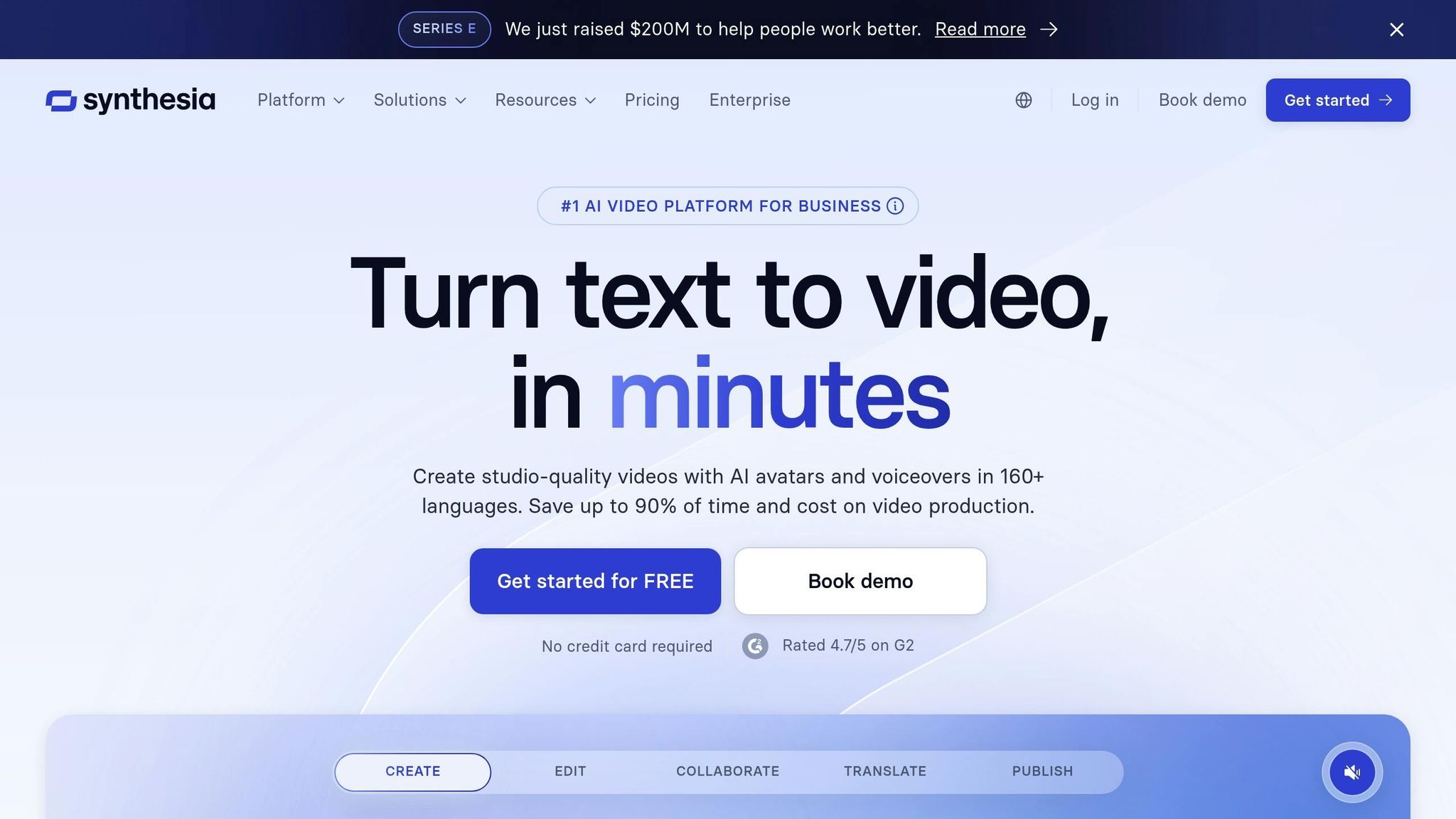
Synthesia simplifies video production by turning it into a browser-based process, eliminating the need for traditional production setups. Its AI Video Assistant can create professional scripts and layouts in minutes using URLs, documents (like PDFs, Word, and PowerPoint), or simple text prompts. With a library of over 240 AI avatars - some capable of gestures like waving and clapping - marketers can produce polished videos without needing to appear on camera. Let’s take a closer look at how Synthesia’s features streamline video creation, localization, and scaling for impactful campaigns.
Video Creation and Editing Capabilities
Synthesia offers a robust editing suite designed to make video creation straightforward. Users can choose from over 200 templates and take advantage of an AI screen recorder that removes filler words automatically. The platform even allows PowerPoint slides to be imported as editable video elements. To enhance engagement, videos can include clickable CTAs, quizzes, and branching scenarios.
For enterprise customers, the platform provides custom brand kits that include logos, fonts, and colors, ensuring brand consistency. The "Version Control" feature allows users to quickly update text and regenerate videos in as little as five minutes, significantly reducing production time and costs. For example, DuPont’s Operational Excellence team saved $10,000 per training video using Synthesia.
Synthesia also excels at adapting content for different audiences.
Personalization and Localization Features
Synthesia’s one-click translation feature converts scripts and on-screen elements like captions and graphics into more than 160 languages. Its AI dubbing tool can localize MP4s or YouTube videos into over 32 languages while maintaining the speaker’s voice and syncing with their lip movements. Additionally, the multilingual video player detects viewers’ browser settings, enabling a single embed link to support global campaigns.
Teleperformance, for instance, uses Synthesia to create training and marketing videos in over 40 languages, saving $5,000 per video. As Geoffrey Wright, Global Solutions Owner, noted:
"100 hours of translation done in 10 minutes!"
For even greater personalization, users can design custom avatars that mimic their appearance and voice, with support for over 30 languages.
Scalability for Marketing Campaigns
The Enterprise plan is tailored for large-scale operations, offering unlimited video creation without usage caps. Synthesia’s API takes scalability a step further by enabling the creation of 100–1,000 personalized videos per hour through CRM integrations like Salesforce or HubSpot.
This level of automation has proven transformative for companies like Zoom, whose instructional designers reduced video production time by 90%, cutting days-long processes down to just hours. Similarly, BSH (Bosch and Siemens Home Appliances) saw a 30% boost in engagement for their e-learning content. CisionOne’s Global Director of Enablement, Lucy Radcliffe, leveraged Synthesia to produce 180 videos in five languages, describing the process as having "0 hassle" thanks to the platform’s localization tools. Features like Brand Kits ensure that even large-scale video outputs remain consistent with company branding.
Pricing and Accessibility
Synthesia offers a range of plans to suit different needs. The Free plan includes 10 minutes of video per month, 9 stock avatars, and support for voices in over 160 languages. Starter and Creator plans cater to individuals and small teams with affordable pricing. For larger organizations, the Enterprise plan provides custom pricing, unlimited video creation, single sign-on (SSO), SOC 2 compliance, and dedicated customer success support.
Synthesia’s reputation speaks for itself, with a 4.7/5 rating on G2 based on over 2,000 reviews. Its tools are trusted by 90% of Fortune 100 companies.
5. Kling AI

Kling AI offers a professional-grade video production platform tailored for marketing teams. With 4K output at 60fps, it delivers a true 3840×2160 resolution, making it ideal for high-quality campaigns. The release of Kling 3.0 in February 2026 introduced multi-shot storyboarding, enabling up to six distinct camera cuts in a single pass while maintaining smooth subject continuity. Today, Kling AI supports over 60 million creators globally, has generated more than 600 million videos, and achieved an impressive $240 million annualized run rate. By building on its earlier tools, Kling AI brings advanced features designed for broadcast-level campaigns.
Video Creation and Editing Capabilities
Kling AI simplifies video production with its native audio-visual synchronization, generating dialogue, sound effects, and music alongside video in one seamless process - no external audio editing required. The Motion Brush tool allows marketers to animate specific elements within a scene, like highlighting a product while keeping the background static.
For the e-commerce sector, the Virtual Try-On feature is a game-changer. Users can upload clothing items and models to create animated try-on videos, providing a dynamic way to showcase products.
The Character Consistency system ensures that subjects maintain the same facial features and style across multiple scenes, drawing from reference images. Single-generation clips typically range from 5 to 10 seconds, but with the Extend feature, videos can be stretched to up to 3 minutes - the longest runtime available in this market. Additionally, advanced camera controls (pan, tilt, zoom, and orbit) enable cinematic movements without requiring physical production equipment.
Kling AI also excels in localization, equipping marketers with tools to adapt content for a variety of audiences.
Personalization and Localization Features
Kling AI supports multi-language lip-sync for English, Chinese, Japanese, Korean, and Spanish, with options for accents like American, British, and Indian English. Impressively, characters can switch languages mid-sentence - for instance, starting in Mandarin and seamlessly transitioning to English - with precise synchronization.
Global brands like Unilever and Decathlon have reported cutting localization costs by 68% when using Kling AI for social video production. In Q1 2026, Telenor Pakistan used Kling AI to localize onboarding videos into Urdu, Sindhi, Pashto, and Balochi. By training the platform on 200 hours of brand footage, they reduced costs from $18,500 to $3,100 per 60-second module and shortened turnaround times from 11 weeks to just 4 days. This efficiency led to a 22% increase in video completion rates among viewers.
Scalability for Marketing Campaigns
Kling AI maximizes production efficiency with an asynchronous API, allowing teams to automate workflows by enqueuing prompts and checking job statuses. The Queue View feature enables marketers to batch process video variants and compare multiple renders side by side. For enterprises, Kling Studio Enterprise offers custom model fine-tuning, allowing brands to train the AI on their unique visual style.
"Kling isn't replacing our animators - it's giving them 72 hours back per week to focus on expressive nuance instead of layout blocking. That shift in creative bandwidth is quantifiable in our last three feature films." - Lena Torres, Head of Previs at Studio Ghibli Digital Lab
The Ultra plan is designed for agencies and high-volume production, offering 26,000 monthly credits. With over 30,000 enterprise users, Kling AI delivers 85–90% of the quality of OpenAI's Sora 2 at about one-third of the cost.
Pricing and Accessibility
| Plan | Monthly Price | Monthly Credits | Key Features |
|---|---|---|---|
| Free | $0 | 66/day | 720p, watermarked, no rollover |
| Standard | $6.99 | 660 | 1080p, no watermark, 2-year rollover |
| Pro | $25.99 | 3,000 | Access to Kling 2.6 Audio & Video O1 |
| Premier | $64.99 | 8,000 | High-volume production |
| Ultra | $180.00 | 26,000 | Agency-level usage |
For high-velocity content like TikTok or Reels, the Standard Mode is a cost-effective option, delivering quality optimized for mobile viewing. To minimize errors, always use negative prompts like "morphing, anatomical errors, glitches, blurry" when setting up video generations.
6. Luma Dream Machine
Luma Dream Machine is a standout AI tool for video marketing, designed to speed up content creation while driving high engagement. With its Ray3.14 model, the platform produces professional-grade 1080p videos in 16-bit HDR, transforming static product images into cinematic sequences in a fraction of the time - cutting production from weeks to mere hours. A global retailer even reported a 42% increase in engagement after using Dream Machine to create over 60 personalized video ads for a holiday campaign. What’s more, its web-based interface doesn’t require high-end hardware, making it possible to generate 4K videos on standard laptops.
Video Creation and Editing Capabilities
Dream Machine offers a range of features for video creation and editing, including text-to-video and image-to-video generation. With Keyframe controls, users can set precise start and end points for their clips. Features like Extend (to lengthen clips) and Loop (for seamless backgrounds) make it perfect for creating content tailored to social media platforms.
One of its standout features is camera control, which allows users to direct wide, tracking, and close-up shots simply by using natural language commands. Additionally, the Draft Mode enables quick, low-resolution previews, making it easier to test multiple creative concepts before committing to high-resolution renders. This is especially useful for A/B testing campaigns across platforms such as TikTok, Instagram, and YouTube Shorts.
The Ray3.14 model operates 4x faster and costs 3x less than earlier versions, while Luma Photon, its integrated image model, runs an impressive 800% faster compared to other industry solutions.
Personalization and Localization Features
Dream Machine excels at personalizing campaigns for different audiences, markets, and languages. Through simple prompt adjustments, it can instantly adapt content to suit various demographics. The platform also incorporates brand-specific elements like logos, colors, and typography, ensuring that every video stays on-brand. To address visual diversity, Luma AI is actively expanding its reach into regions like the Middle East.
The platform further simplifies global campaigns by exporting videos in aspect ratios tailored to specific platforms and automating the creation of localized variants via its API. With 33% of marketers already using AI for video personalization and another 31.7% expecting it to enhance their workflows, tools like Dream Machine are becoming essential.
"Dream Machine gives you the creative firepower to break through the noise and capture your audience... Produce localized ad variants with minimal effort, targeting audiences across languages and regions." - Luma AI
Scalability for Marketing Campaigns
Luma Dream Machine is built for scale. Its API enables businesses to automate the creation of high-quality videos and images, making it a go-to solution for large-scale campaigns. In February 2026, major global agencies like Serviceplan Group and Publicis Groupe partnered with Luma AI to integrate this technology into their operations. The cloud-based workflow eliminates the need for expensive hardware, while Brand Kits ensure consistent visual identity across thousands of assets.
For high-volume campaigns, the image-to-video feature breathes new life into existing assets, turning them into dynamic video ads and extending their utility. The platform is accessible via both web and iOS, allowing marketers to create content on the go.
Pricing and Accessibility
Luma Dream Machine offers a free plan with 30 video generations per month. Paid plans start at $9.99/month, providing access to HD and 4K exports. API pricing is credit-based, costing just cents per video. Enterprise options include higher usage limits, onboarding support, and monthly invoicing. With a 4.6/5 rating on Toolscope from over 2,100 reviews, users frequently praise its video quality and realistic physics.
7. Pika
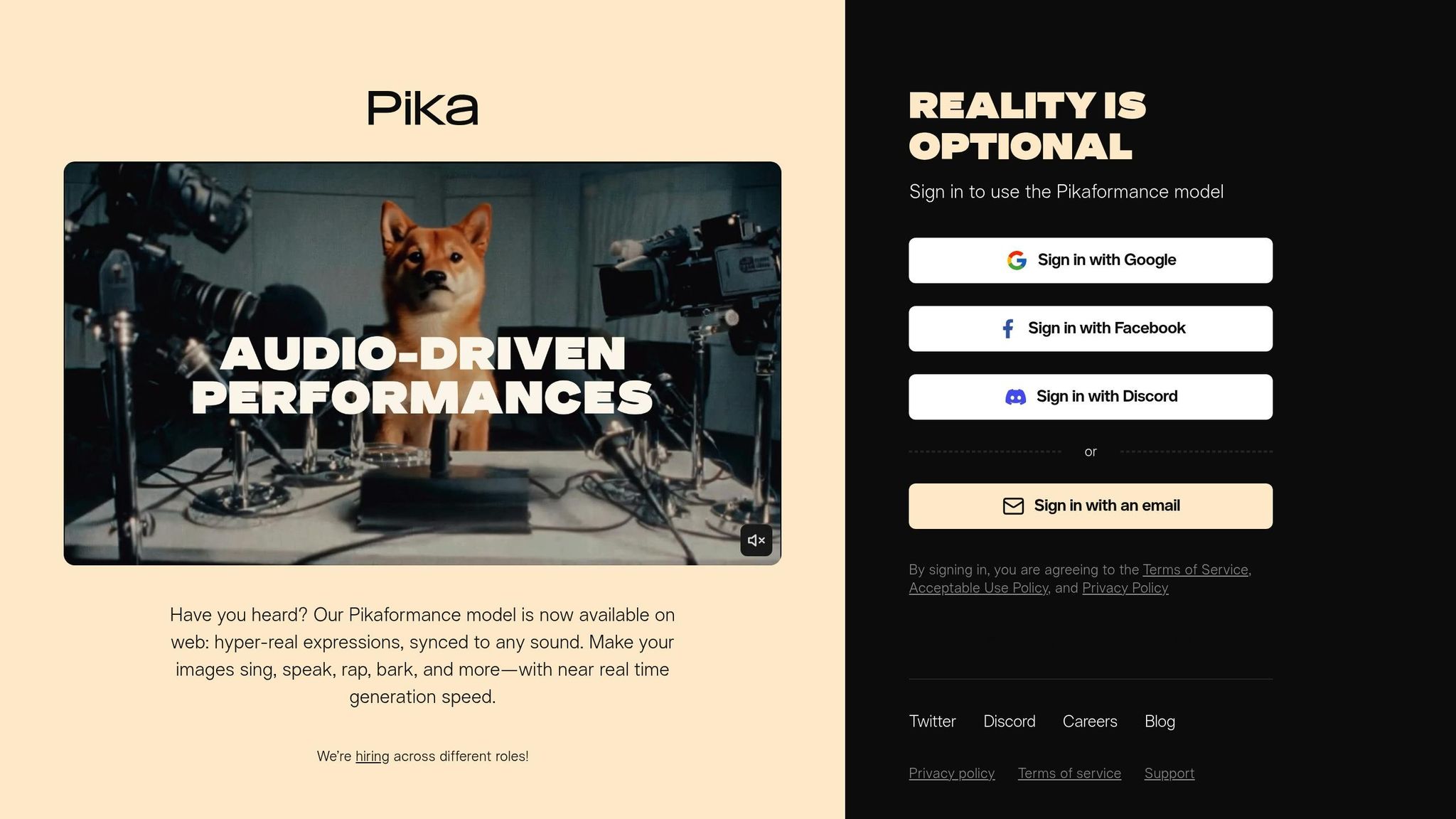
Pika is making waves in the world of social media video marketing by catering to the growing demand for short-form content. Often referred to as the "Canva of AI video", this platform is designed for marketers who want to create engaging videos without needing advanced editing skills. With a $55 million funding boost in 2023, Pika has grown to serve over 500,000 creators, churning out millions of videos every week. Impressively, the platform generates clips in just 42 seconds, making it a go-to tool for TikTok, Instagram Reels, and YouTube Shorts content.
Video Creation and Editing Capabilities
Pika offers three main ways to create videos: text-to-video, image-to-video, and video-to-video. These options allow users to generate clips from scratch, animate static images, or transform existing footage into new styles like anime or cinematic formats. One standout feature is Pikaffects, a powerful tool that adds dramatic visual effects - think melting, inflating, or exploding objects - to grab attention on social media. Additionally, Pikaswaps and Pikadditions let users easily replace characters or add props and logos that seamlessly match the scene's lighting and perspective.
Another highlight is Pikaformance, a lip-syncing tool that animates portraits to match audio tracks with lifelike expressions. This feature is ideal for creating AI presenters or localized ads, costing 3 credits per second of audio. For more control, Pikaframes allows users to upload start and end frames to create smooth transitions, while Scene Ingredients in Pika 2.x lets you tweak individual elements like characters or backgrounds without having to redo the entire scene.
Pika is accessible through web browsers and an iOS app, making it easy to create content on the go. Clips typically range from 3 to 10 seconds, which aligns perfectly with the fast-paced nature of social media. While a stress test showed a 74% success rate for usable videos, the platform does face challenges with small text, intricate hand movements, and fast-paced action.
Personalization and Localization Features
Pika shines when it comes to tailoring videos for different audiences. With Pikaformance, brands can create talking-head videos where characters lip-sync to localized voiceovers, making it easy to adapt content for global markets. Pikaswaps allows marketers to swap out generic actors in stock footage for brand mascots or local influencers, boosting relatability without needing to reshoot. Similarly, Pikadditions lets teams update videos with themed props or UI elements for events or holidays, blending them seamlessly into the original scene.
The Scene Ingredients feature takes personalization even further by splitting videos into layers - characters, backgrounds, props, and styles - so marketers can make specific changes, like swapping a background to reflect a city skyline for a localized touch. The video-to-video style transfer option also enables creators to reimagine existing footage in different aesthetics, such as anime or painterly styles, to appeal to various demographics. These tools make Pika a powerful option for creating customized, high-volume content that aligns with market trends. With 89% of businesses using video as a marketing tool and 52% of TikTok and Instagram Reels now AI-generated, Pika's features address a real need.
Scalability for Marketing Campaigns
Pika is built for high-volume content creation, though it does have limitations for more complex campaigns. Its strengths lie in speed and accessibility, but challenges like 67% character continuity and 78% style consistency can impact results. Additionally, about 23% of videos may experience motion glitches. Paid plans offer perks like "priority generations" and "unlimited free creation" for specific tiers, which are helpful for scaling campaigns.
Among the creation modes, image-to-video delivers the best success rate at 89%, making it an excellent choice for animating product images or brand assets. However, advanced features like Pikatwists and Pikaformance require more credits - up to 80 per generation - so teams should plan their usage accordingly. For longer projects, marketers often use Pika to generate high-quality short clips and then stitch them together using external tools like Premiere Pro. The addition of API access through Fal.ai further streamlines workflows for large-scale campaigns.
"Pika AI is fun for viral clips, yet unreliable for longer or professional use." - Asma Arshad, Senior Writer, AllAboutAI.com
Pricing and Accessibility
Pika offers several pricing tiers to suit different needs. The free plan provides 150 credits per day, though videos include a watermark. The Beginner tier costs $8–$10/month, offering 300 credits, watermark-free videos, and 1080p quality. For more robust needs, the Standard plan costs $28–$35/month and includes 700–1,000 credits with unlimited generation at reduced speeds. The Pro tier, priced at $70–$80/month, provides around 6,000 credits and priority access to advanced features like Pika 2.5. Commercial usage rights are available with Pro and higher tiers.
Pika has earned a 4/5 rating from AllAboutAI, with users praising its creative effects and speed but noting concerns about unpredictable credit usage and the short length of clips.
8. LTX Studio
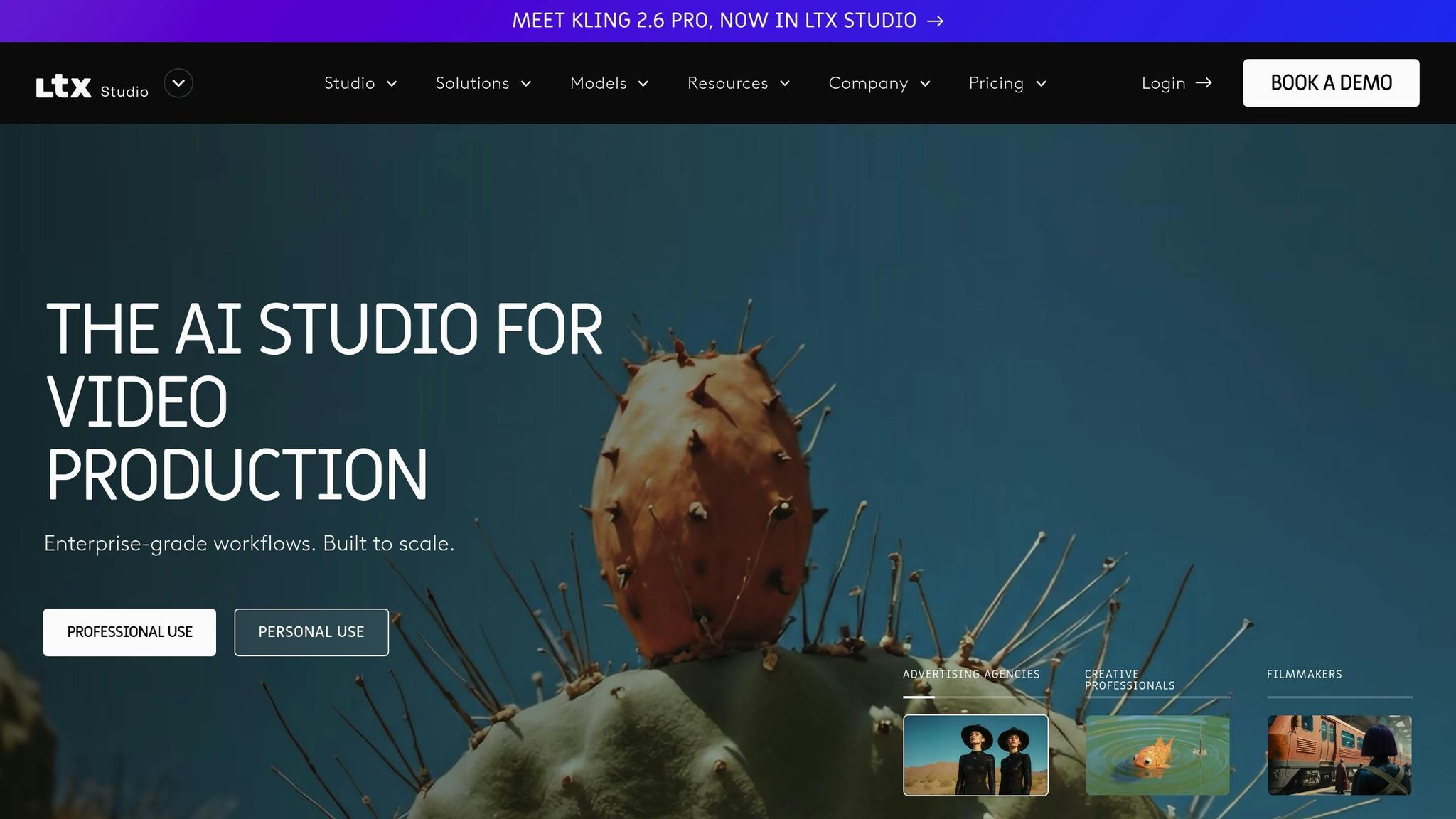
LTX Studio stands out as a comprehensive platform for professional video production, seamlessly integrating AI-driven video creation with advanced post-production tools. With over 135,000 users, including producers, creative teams, and designers, it has earned a solid 4.4/5 rating on G2 and is recognized as an official Google Partner. Academy Award-winning filmmaker Taika Waititi praised its capabilities:
"It's amazing how fast it can generate ideas; it accelerates the creative process."
Video Creation and Editing Capabilities
LTX Studio makes it easy for marketers to kick off projects using text, scripts, images, or video inputs. By leveraging cutting-edge AI models - LTX-2, Google Veo 3 Fast, and FLUX.1 Kontext - the platform delivers production-ready visuals and allows for rapid iterations. Users can fine-tune camera movements, set keyframes, and define motion with incredible accuracy.
Its standout feature, the Retake tool, lets users update dialogue or calls-to-action in specific segments while maintaining the original motion, lighting, and continuity. The platform also includes an AI storyboard generator, an intuitive timeline editor, and built-in sound design tools, enabling creators to add music, voiceovers, and sound effects effortlessly.
For those focused on brand consistency, LTX Studio offers AI Characters and Elements, which allow users to lock in specific actors, objects, fonts, and logos across scenes. Pierre-Jean Bernard, Head of Digital & AI at L'Oréal–McCann Paris, highlighted this feature:
"What we like about LTX is the consistency, so you can create your own universe."
Personalization and Localization Features
The Retake tool goes beyond basic editing by enabling marketers to rewrite dialogue or adjust emotional expressions in specific scenes while preserving the original voice and timing. The AI Character Generator helps build diverse and engaging casts, while text-to-speech tools create natural-sounding voiceovers. Style customization options let creators choose from aesthetics such as cartoon, cinematic, or realistic, with the ability to tailor lighting and camera motions to match regional preferences. Nir Smulewicz, Chief Marketer at eToro, shared his experience:
"The process allowed us to imagine without the boundaries that we usually have in real life. It gave us the freedom to dream, to iterate, and to add more elements during the editing process."
Scalability for Marketing Campaigns
LTX Studio caters to enterprise needs with tools designed for large-scale operations. Its API integration supports automated video creation and tailored outputs, while shared project environments and asset management features keep teams aligned. The integration of Google Veo 3 Fast allows for the rapid creation of cinematic clips, enabling immediate feedback during the creative process.
The platform's ability to maintain character and style consistency across multiple scenes makes it ideal for multi-video campaigns. Additionally, the AI Storyboard Generator simplifies the visualization and editing of sequences, ensuring a streamlined production process that delivers consistent, high-quality results at scale.
Pricing and Accessibility
LTX Studio offers flexible pricing options to meet different needs. A free tier is available, albeit with a watermark, while subscription-based plans unlock premium features like faster processing, extended computing time, and watermark-free exports. For larger organizations, enterprise options include custom demo workflows tailored to specific requirements. As a web-based platform optimized for desktop use, LTX Studio eliminates the need for heavy software downloads, allowing teams to edit timelines, sync audio, and refine projects directly online.
9. Tagshop AI
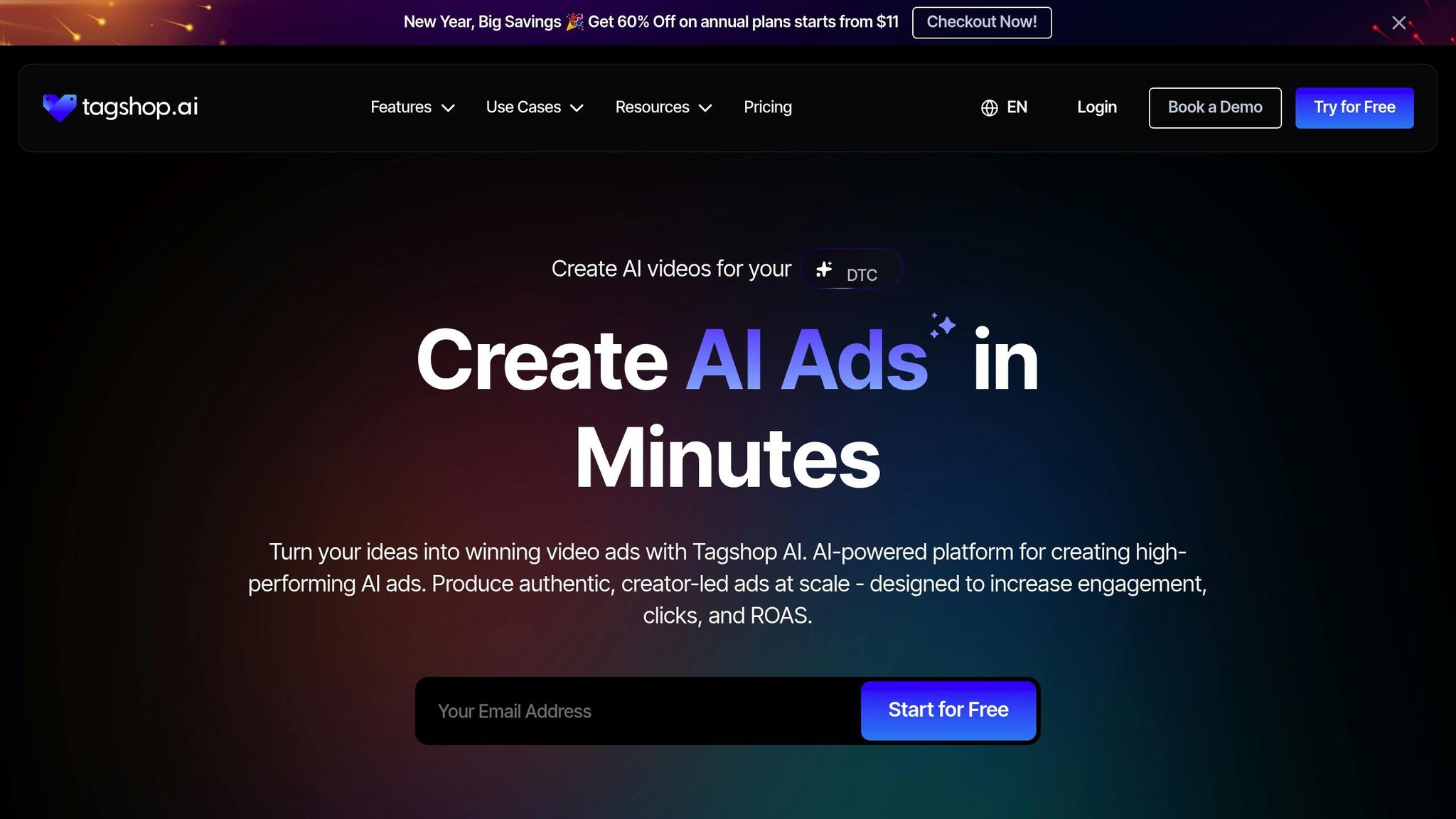
Tagshop AI brings a fresh approach to video production, offering tools designed to help ecommerce brands, SaaS companies, and marketing agencies create ads quickly and efficiently - without the usual production costs. With a stellar 4.9/5 rating from over 200 reviews, brands using Tagshop AI have seen an 87% boost in ROI and a 30% increase in click-through rates compared to manually created ads. Let’s dive into what makes this platform stand out.
Video Creation and Editing Capabilities
One of the standout features is the URL to Video tool, which transforms product links into professional video narratives in under five minutes by pulling relevant details directly from the link. The AI UGC Ads feature can create user-generated-style videos from scripts or URLs, eliminating the need for a physical shoot. Meanwhile, the AI Product Shots tool turns static images into dynamic showcase videos, adding movement and flair to product visuals.
The platform also includes a built-in video editor, making it easy to add text overlays, adjust captions, and fine-tune layouts - all without leaving the app. For ad scripts, the AI Script Generator delivers platform-specific content tailored for TikTok, Instagram Reels, Facebook Ads, and YouTube Shorts.
Personalization and Localization Features
Tagshop AI goes a step further with its AI Twin Generation, which creates a digital representation of a person, complete with a cloned voice, using uploaded images and audio. This ensures consistent brand visuals without the need for repeated video shoots. Arpan Shah, Managing Director, shared:
"Tagshop AI has helped us significantly reduce our product shooting time. The Digital Twin / AI Twin feature lets us create clean product visuals without setting up lights, cameras, or backgrounds every time."
The platform also supports over 75 languages, with premium plans extending to 200 languages. Additionally, it offers a library of 1,000+ AI avatars to align with different brand voices and audience preferences. Anirudh, Head of Digital Marketing, highlighted:
"As my targeted audience is from the USA, Germany and Italy, their multilingual feature is helpful in this situation. I can create multiple avatar videos in different languages."
Scalability for Marketing Campaigns
Tagshop AI is built for scaling campaigns. It allows marketers to produce up to 10x more ad variations, cutting production time by as much as 90%. A centralized dashboard simplifies campaign management, enabling teams to create, manage, and publish ads directly to platforms like TikTok, Meta, and YouTube. Esma E., an Influencer Marketing specialist, noted:
"Every frame was not only engaging but also beautifully crafted... We achieved CTR of over 2%, and with a cost per click of just $0.20, the effectiveness of your work is undeniable."
Pricing and Accessibility
Tagshop AI offers flexible pricing to suit different needs. The free tier includes 15 credits and one 30-second video (720p with a watermark). Paid plans start at around $11 per month (billed annually) for the Starter plan, which includes 600 credits per year and up to 60 videos (2 minutes each) with AI Twin and voice cloning capabilities. The Growth plan costs about $39 per month, offering 2,400 credits annually and 240 videos (up to 5 minutes). For larger operations, the Scale plan is priced at $99 per month and includes 6,000 credits, 600 videos (up to 10 minutes), 4K exports, and a dedicated account manager.
10. Upskillist
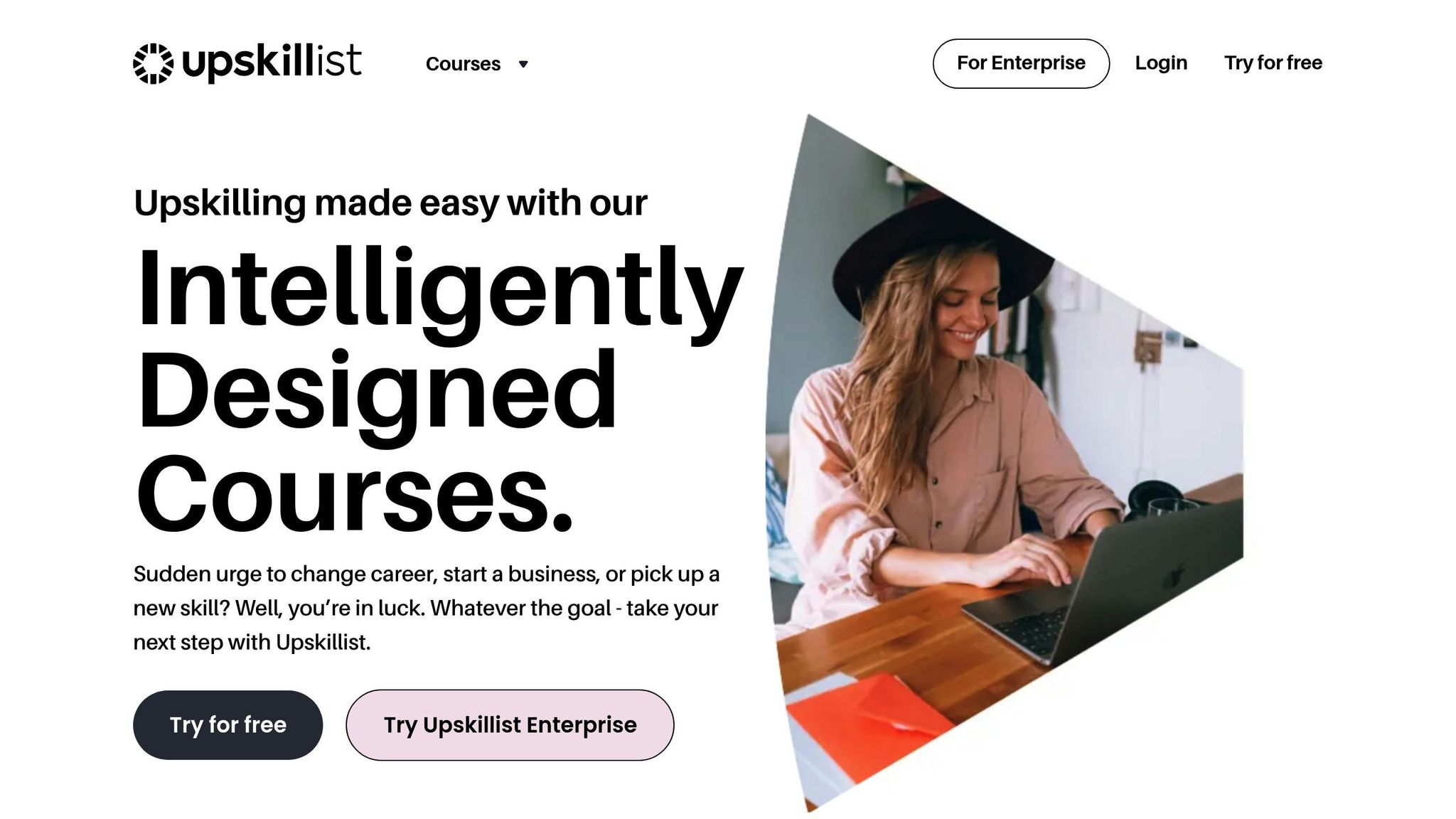
Upskillist takes video marketing to another level by transforming conventional content into engaging, educational video lessons. As of February 2026, the platform focuses on turning marketing materials into instructional videos that not only teach but also promote products or services. This dual-purpose approach helps brands inform their audience while reinforcing their messaging within marketing campaigns.
Video Creation and Editing Features
At the heart of Upskillist's approach is its AI Course Creator, a tool that converts marketing texts and blog posts into structured video lessons automatically. The platform also includes a Smart Editor, which scans video footage to pinpoint key moments and enhances them with features like quizzes and summary cards to keep viewers engaged. These tools are perfect for creating product tutorials, onboarding videos, or any type of instructional content.
Pricing and Access Options
Upskillist offers flexible pricing tailored to its marketing and educational focus. New users can explore the platform with a 7-day free trial, which provides full access to premium courses and AI tools. After the trial, users can opt for a monthly subscription, which also includes lifetime access to any lessons they create. The trial can be canceled anytime before it transitions into a paid plan.
Tool Comparison Table
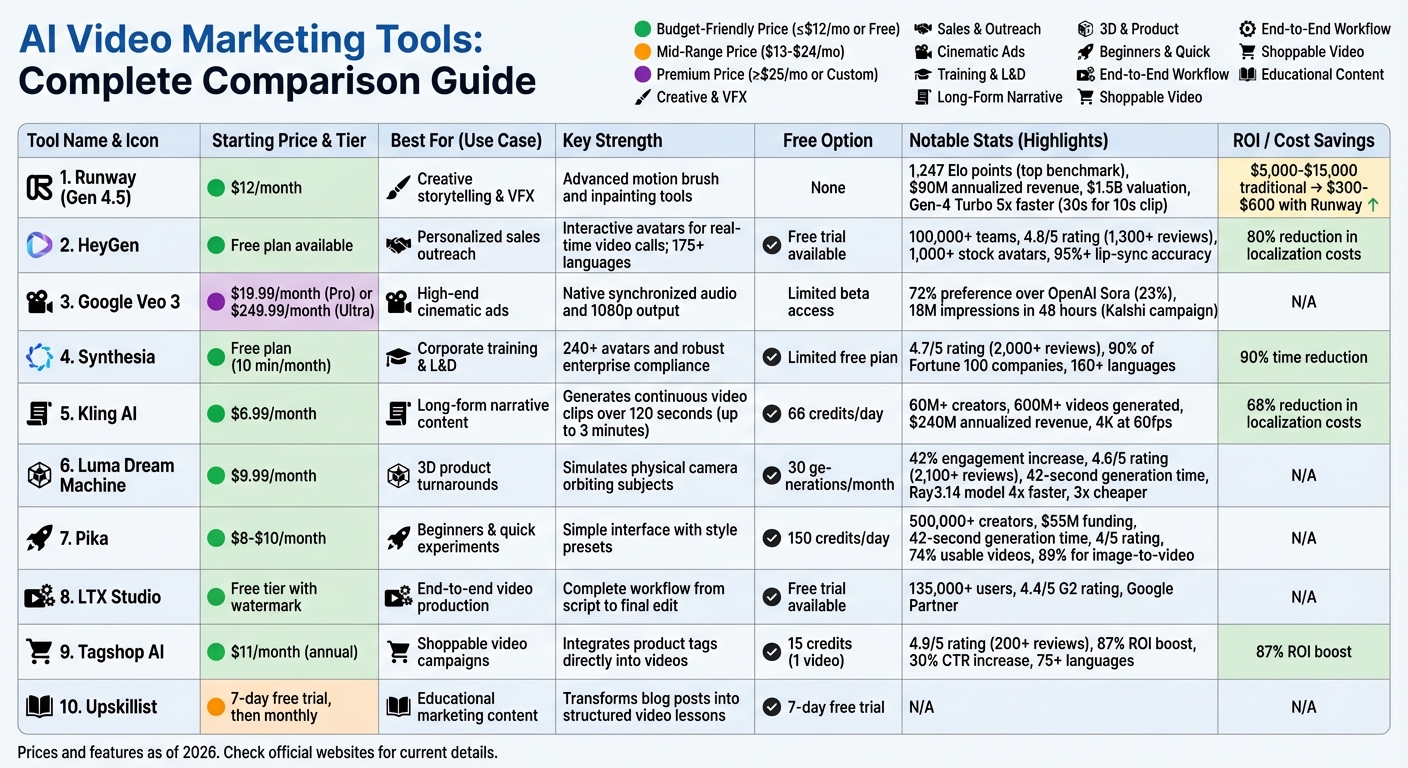
AI Video Marketing Tools Comparison: Features, Pricing, and Best Use Cases
Choose an AI video agent that aligns with your budget, content goals, and campaign needs. Each tool offers distinct strengths, and this table condenses those features for quick decision-making.
| Tool | Starting Price | Best For | Key Strength | Free Option |
|---|---|---|---|---|
| Runway (Gen 4.5) | ~$15/mo | Creative storytelling & VFX | Advanced motion brush and inpainting tools | None |
| HeyGen | ~$29/mo | Personalized sales outreach | Interactive avatars for real-time video calls; 175+ languages | Free trial available |
| Google Veo 3 | ~$250/mo | High-end cinematic ads | Native synchronized audio and 1080p output | Limited beta access |
| Synthesia | ~$22/mo (annual) | Corporate training & L&D | Over 230 avatars and robust enterprise compliance | Limited |
| Kling AI | ~$8/mo | Long-form narrative content | Generates continuous video clips over 120 seconds | 6 free gens/day |
| Luma Dream Machine | ~$10/mo | 3D product turnarounds | Simulates a physical camera orbiting subjects | 5 free gens/day |
| Pika | ~$10/mo | Beginners & quick experiments | Simple interface with style presets | 3 free gens/day |
| LTX Studio | ~$29/mo | End-to-end video production | Complete workflow from script to final edit | Free trial available |
| Tagshop AI | Custom pricing | Shoppable video campaigns | Integrates product tags directly into videos | Demo available |
| Upskillist | 7-day free trial, then monthly | Educational marketing content | Transforms blog posts into structured video lessons | 7-day free trial |
This side-by-side breakdown highlights each tool's strengths, helping you pinpoint the best fit for your specific needs.
For those on a tight budget, Kling AI stands out as the most affordable option, offering continuous video generation for longer sequences at a low monthly cost. On the other end of the spectrum, Google Veo 3 caters to premium campaigns, delivering high-quality cinematic ads with synchronized audio and sharp 1080p resolution.
If personalized outreach is your focus, HeyGen provides interactive avatars capable of real-time video calls and supports over 175 languages, making it a powerful tool for sales teams. Meanwhile, Synthesia excels in corporate settings, offering a vast library of avatars and enterprise-grade compliance features, making it a go-to for internal communications and training.
For social media managers, Pika and Luma Dream Machine are excellent choices. Both tools offer free daily generations - three with Pika and five with Luma Dream Machine - perfect for creating engaging Instagram or TikTok content without breaking the bank.
Developers looking to integrate video automation into their workflows will appreciate Kling AI's API, which offers a low per-generation cost of about $0.04, a fraction of Runway's $0.12 rate. This makes Kling AI particularly appealing for large-scale video production needs.
Conclusion
AI tools are transforming video marketing by slashing costs, improving personalization, and speeding up production timelines. What once cost $5,000–$15,000 for a corporate video can now be done for just a fraction of that - sometimes as low as tens of dollars. Companies like Clarity Media have demonstrated this shift, reducing their per-video costs from $5,200 to $720 by early 2025, while scaling their output from 8 to 85 videos per month.
For personalized outreach, platforms like HeyGen are making waves with interactive avatars and support for over 175 languages, boosting click-through rates by an impressive 200–300%. Similarly, Synthesia's robust avatar library and enterprise-grade compliance helped IBM cut production costs by 72% in 2024. Other tools, such as Kling AI and Pika, even offer free trials or daily credits, making it easier to experiment with social media campaigns.
"AI avatars flatten the creative cost curve. Small brands can now iterate like Netflix." - Rajesh Sundaram, CEO, DaveAI
A smart way to get started? Run a 30–60 day pilot focused on a single content type - whether that's product demos, training videos, or FAQs. During this trial, track your current production expenses and compare them to the AI-powered results to gauge your ROI. Free trials can also provide a low-risk opportunity to test different platforms side by side.
While AI can handle 70–90% of the production process, human involvement is still critical. Creative oversight ensures that the storytelling stays compelling and the brand identity remains intact. These tools may streamline the technical side of video creation, but as Nathan Lands from HubSpot puts it:
"The tools are getting good enough that the story you tell matters more than the pixels you generate." - Nathan Lands, HubSpot
FAQs
Which AI video tool is best for my marketing goal?
When choosing the best AI video tool, it all comes down to what you need. If you're after a tool that's easy to use for creating simple videos, Pictory is a solid choice. Want to dive into avatar-based video creation? Synthesia shines in that area. For those seeking automation and personalization, Wideo and Jasper are worth exploring. Looking for a more complete solution? Check out tools recommended by Zapier, especially if you're managing workflows like editing and distribution. Your decision should align with your priorities - whether that's simplicity, automation, or the ability to scale.
How can I estimate ROI and costs before choosing a plan?
To get a clear picture of ROI and costs for AI video marketing tools, start with ROI calculators. These handy tools can help you evaluate potential savings and benefits. Next, take a close look at pricing tiers and features to find options that fit your budget and meet your goals. AI tools can cut production costs by as much as 90%, while boosting ROI through automation, personalized content, and streamlined processes. With this information, you can choose a plan that delivers strong results without overspending.
What’s the best workflow for scaling personalized video ads?
Scaling personalized video ads effectively requires a smart, streamlined approach that balances automation with quality. Here’s how to make it work:
- Start with a Dynamic Video Template: Create a base video template that can seamlessly incorporate individual customer data, such as names, company information, or other personalized details.
- Automate Data Integration: Connect your CRM or marketing platform to automate the flow of customer data into your video production process. This ensures efficiency and accuracy.
- Leverage AI Tools for Production: Use AI-powered platforms to generate high-quality personalized videos at scale. These tools can handle large volumes without compromising on the visual and messaging quality.
- Deploy and Optimize: Once the videos are ready, distribute them across your chosen channels. Keep an eye on performance metrics like engagement and conversions, and fine-tune your strategy to maximize results.
By combining AI tools with automation and careful monitoring, you can deliver personalized content that resonates with your audience - without sacrificing scale or quality.