

5 Best AI Presentation Tools in 2026: Which One Should You Use?
Discover the 5 best AI presentation tools in 2026, including Gamma, Beautiful.ai, Canva, Plus AI, and Microsoft Copilot. Compare their features, strengths, and use cases to find the right AI presentation maker for your needs.
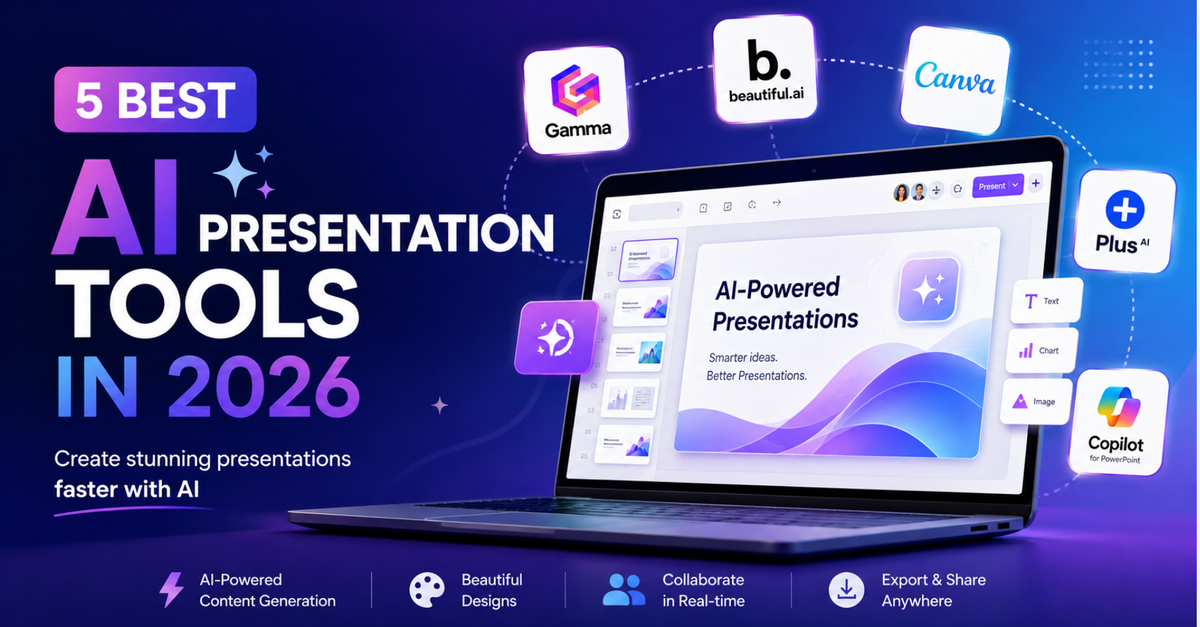
Creating a presentation used to mean staring at a blank slide and wondering where to start.
First, you needed the outline. Then the copy. Then the design. Then the images. Then came the endless cycle of moving text boxes around because somehow the title still didn't look quite right.
AI presentation tools are changing that.
Today, you can give an AI tool a topic, rough outline or existing document and have the first version of your presentation ready in minutes.
But there's a catch.
Not every AI presentation tool is good at the same thing.
Some are brilliant at turning an idea into an entire deck. Some make your slides look professionally designed without much effort. Others work directly inside PowerPoint or Google Slides, which can be far more useful if that's where your team already works.
So, which one should you use?
We've narrowed it down to five of the best AI presentation tools to consider in 2026.
The 5 Best AI Presentation Tools at a Glance
| AI Presentation Tool | Best For | Standout Strength |
|---|---|---|
| Gamma | Creating presentations quickly | Turns prompts and content into complete presentations |
| Beautiful.ai | Professional business presentations | Automatically maintains strong slide design |
| Canva | Creative and visual presentations | Huge visual and template ecosystem |
| Plus AI | PowerPoint and Google Slides users | Adds AI to tools you already use |
| Microsoft Copilot for PowerPoint | Microsoft 365 teams | AI built directly into PowerPoint |
Let's look at where each one shines.
1. Gamma – Best for Creating a Presentation from Scratch
Have an idea but no idea how to turn it into 15 slides?
That's where Gamma becomes interesting.
Instead of starting with individual slides, you can give Gamma a topic, outline or existing content and let AI create the initial structure for you.
It can help develop the narrative, organize information, generate layouts and add visual elements. You can then edit the result rather than spending your first hour building everything from scratch.
What Can Gamma Do?
- Generate presentations from prompts and outlines
- Turn existing documents and content into presentations
- Rewrite and refine slide content using AI
- Create layouts and visual elements
- Apply themes and branding
- Support team collaboration
- Export presentations to formats including PowerPoint and PDF
- Share presentations online
Who Should Use Gamma?
Gamma makes a lot of sense if speed is your biggest problem.
Imagine you're a project manager who needs to present a project update tomorrow. You already have the information in a document, but you don't have two hours to turn it into a polished presentation.
Or perhaps you're a founder who needs a first version of a pitch deck.
Gamma can get you from:
"Here is everything I know"
to
"Here is a structured presentation"
much faster.
You still need to check the content and improve the story, but you're no longer starting from zero.
Best for: Consultants, founders, marketers, educators and professionals who regularly need to create presentations quickly.
2. Beautiful.ai – Best for Professional-Looking Business Presentations
We've all seen that presentation.
Five different font sizes.
Text boxes slightly out of alignment.
A chart squeezed into a corner.
And a final slide that somehow looks like it came from a completely different deck.
Beautiful.ai is designed to reduce that problem.
Its Smart Slides automatically adjust layouts as you add or change content. Instead of manually moving everything around, the software helps maintain spacing, alignment and visual hierarchy.
What Can Beautiful.ai Do?
- Generate presentations with AI
- Automatically adjust slide layouts
- Provide professionally designed templates
- Maintain brand themes and styles
- Create reusable company slides
- Support team collaboration
- Export presentations to PowerPoint
Who Should Use Beautiful.ai?
This is particularly useful when consistency matters more than creative freedom.
A sales organization, for example, might have dozens of employees creating presentations every month.
Without controls, every presentation starts looking slightly different.
Beautiful.ai helps teams create presentations faster while maintaining a more consistent professional appearance.
Best for: Business teams, consultants, sales organizations and companies that regularly produce professional presentations.
3. Canva – Best for Creative and Visual Presentations
If you've ever used Canva for a social media post, poster or marketing graphic, you'll already understand its biggest advantage.
It gives you a lot to work with.
Canva combines AI-assisted presentation creation with a huge ecosystem of templates, stock images, illustrations, video, graphics and other visual assets.
That makes it particularly useful when your presentation needs to look visually engaging rather than purely corporate.
What Can Canva Do?
- Generate presentation designs with AI
- Provide thousands of presentation templates
- Generate and edit text with AI
- Create AI-generated visual content
- Access stock photography, graphics and video
- Maintain branding through Brand Kits
- Enable real-time collaboration
- Present and share content directly
Who Should Use Canva?
Think about a marketer preparing a campaign presentation.
The deck might need campaign mock-ups, social graphics, photographs, branded assets and perhaps video.
If those assets are already being created inside Canva, building the presentation there can make the entire process much easier.
It's also approachable for people who aren't professional designers.
Best for: Marketers, small businesses, educators, entrepreneurs and anyone creating highly visual presentations.
4. Plus AI – Best if You Already Use PowerPoint or Google Slides
Here's a question worth asking before signing up for another AI platform:
Do you actually want another presentation tool?
For many people, the answer is no.
Your company uses PowerPoint.
Your clients expect PowerPoint.
Your colleagues send you PowerPoint files.
Or perhaps your entire team works inside Google Workspace.
That's where Plus AI has an advantage.
Rather than forcing you to move your presentation workflow somewhere else, Plus AI brings AI presentation capabilities into PowerPoint and Google Slides.
What Can Plus AI Do?
- Generate presentations using AI
- Create slides from prompts and documents
- Work within PowerPoint and Google Slides
- Rewrite existing slide content
- Remix and restructure slides
- Assist with formatting
- Apply themes and branding
Who Should Use Plus AI?
Suppose you've already built a 20-slide quarterly business review.
You don't necessarily want AI to create another presentation from scratch.
You might simply want help rewriting five slides, restructuring one section and improving the layout.
That's where an AI tool that works inside your existing presentation environment can be particularly useful.
Best for: Corporate teams, consultants, agencies and professionals who need to keep working in PowerPoint or Google Slides.
5. Microsoft Copilot for PowerPoint – Best for Microsoft 365 Users
If your working day already revolves around Word, Excel, Outlook, Teams and PowerPoint, Microsoft's own AI ecosystem deserves consideration.
Copilot in PowerPoint brings generative AI directly into the application many businesses already use for presentations.
It can help create presentations, generate slides, rewrite content and summarize existing decks without requiring users to move into an entirely separate presentation platform.
What Can Microsoft Copilot for PowerPoint Do?
- Help create presentations from prompts
- Generate slides from existing material
- Rewrite presentation content
- Summarize existing presentations
- Work directly inside PowerPoint
- Integrate with the wider Microsoft 365 environment
Who Should Use Microsoft Copilot?
The strongest argument for Copilot isn't necessarily that it does something no other AI tool can do.
It's where it does it.
If your organization already operates inside Microsoft 365, having AI available within PowerPoint can mean less switching between applications and fewer compatibility headaches.
That can be particularly important for larger organizations where PowerPoint remains the standard format for everything from project updates to board presentations.
Best for: Enterprises, Microsoft 365 users, executives, project teams and sales organizations.
So, Which Is the Best AI Presentation Tool?
There isn't one answer.
And that's actually a good thing.
If you want to turn an idea into a presentation as quickly as possible, Gamma is a strong place to start.
If you regularly worry about whether your slides look professionally designed, consider Beautiful.ai.
If visual creativity is your priority, Canva offers a much broader creative ecosystem.
If PowerPoint or Google Slides is non-negotiable, Plus AI allows you to introduce AI without completely changing your workflow.
And if your organization already lives inside Microsoft 365, Copilot for PowerPoint may be the most natural option.
The question isn't:
"Which AI presentation tool has the most features?"
A better question is:
"Which tool removes the biggest problem from the way I currently create presentations?"
That's the one you're most likely to keep using.
What Should You Look for in an AI Presentation Maker?
Before choosing an AI presentation generator, consider these five areas.
1. How Good Is the First Draft?
Generating 20 slides in 30 seconds sounds impressive.
But if you spend the next three hours rewriting them, how much time did you actually save?
Test whether the tool understands structure and creates a useful first draft rather than simply spreading AI-generated text across multiple slides.
2. How Much Design Work Is Left?
A good AI presentation maker should reduce design work.
Look at spacing, hierarchy, fonts, imagery and consistency.
Ask yourself:
Would I actually present what the AI generated?
3. Can You Easily Change What the AI Creates?
AI rarely gets everything right on the first attempt.
You should be able to rewrite content, move sections, replace images, change layouts and apply your own branding without fighting the software.
4. Where Does the Final Presentation Need to Go?
This is easy to overlook.
You may love creating a presentation in one platform, but what happens when your client asks:
"Can you send me the editable PowerPoint?"
Check export and compatibility options before committing to a tool.
5. Can It Stay on Brand?
For occasional personal presentations, this may not matter much.
For a business producing hundreds of presentations, it matters enormously.
Look for support for brand colours, fonts, logos, templates and reusable components.
AI should help your team create faster without making every presentation look like it came from a different company.
Will AI Replace PowerPoint?
Probably not.
What's changing is how much work happens before you open the finished presentation.
Instead of manually creating every slide, AI can help you:
Idea → Outline → Draft → Design → Refine → Present
That means less time spent adjusting boxes and formatting headings.
But there is something AI still can't decide for you:
What does your audience actually need to hear?
A beautiful presentation with a weak argument is still a weak presentation.
AI can help create the slides.
You still need to decide what those slides are trying to accomplish.
Final Thoughts
The best AI presentation tools in 2026 aren't simply making presentations faster. They're changing where we spend our time.
Instead of spending an hour choosing layouts, you can spend that hour improving your argument.
Instead of manually formatting every slide, you can focus on whether your audience will understand the message.
And instead of beginning with a blank page, you can begin with something you can react to, edit and improve.
That's probably the biggest benefit of AI presentation software.
AI doesn't have to make the presentation for you. It can make creating a good presentation easier.